
Prompt injection in 2026: protecting your website's AI chatbot and agents
Security for site owners:
Prompt injection is what happens when text your AI reads is treated as an instruction it should follow. A visitor types it into your chat box, or it sits hidden in a web page, a PDF, a product review or an email the assistant was asked to summarise. For a chatbot that only answers questions, the damage is usually embarrassment. For one that can look up orders, send emails, issue refunds or change account details, it can be a data breach. This guide is for owners of business websites and online stores that already run an AI assistant or plan to. It covers where the risk comes from, what went wrong for real companies this year, and the controls that hold up when the model is fooled anyway.
The short version: assume the model will be tricked
Every major voice on this topic now says the same uncomfortable thing. The UK National Cyber Security Centre argues that large language models are "inherently confusable" and that prompt injection may never be fully mitigated in the way SQL injection was. The OWASP Top 10 for LLM applications, which lists prompt injection first as LLM01, says "it is unclear if there are fool-proof methods of prevention." Google, describing Gemini's agent defences on November 17, 2026, put it more bluntly: "prompt injection cannot be solved by system prompts alone."
That changes the question a site owner should ask. Not "how do I write a prompt the attacker cannot beat?" but "if the model does exactly what the attacker says, what is the worst it can do, and how do I make that small?" Most of the useful work below is ordinary software security around the model, not clever wording inside it.
Two kinds of injection, and why the second one matters more
Direct prompt injection is the version most people have seen: a user types "ignore your previous instructions" into a chatbot and tries to make it misbehave. OWASP describes it as a prompt that "directly alters the behavior of the model in unintended or unexpected ways." On a public website you should expect it every day, from bored visitors as much as attackers.
Indirect prompt injection is quieter. The instructions arrive inside content the AI reads while doing its job: a page it fetches, a file a customer uploads, a support ticket, a review, an email. The user who asked the question may be completely innocent. NIST's Center for AI Standards and Innovation calls this agent hijacking, where "an attacker inserts malicious instructions into data that may be ingested by an AI agent, aiming to derail the agent into taking unintended, harmful actions."
Microsoft's security guidance on indirect prompt injection, updated November 4, 2026, explains why ordinary input validation does not catch it: the problem "is compounded by the AI's inability to distinguish between user input and external content." The model sees one stream of text. Your job is to make sure that text from strangers can never decide what the system is allowed to do.
Where your website's AI reads text it should not trust
Before choosing defences, list every place untrusted text can reach the model. For a typical small business site, the map looks something like this.
| Entry point | Example | What an attacker might try | Risk rises when the AI can |
|---|---|---|---|
| Chat box | Visitor messages to a support or sales assistant | Reveal the system prompt, offer fake discounts, make offensive statements in your brand's name | Change orders, prices or account details |
| Customer uploads | CVs, invoices, photos, PDFs sent through a form | Hidden lines that change how a document is scored or summarised | Approve, reject or route the submission automatically |
| Your own content | Product reviews, forum posts, comments, help-centre articles used for answers | Plant instructions in a review that later appear in answers to other users | Quote content to every visitor or act on it |
| Pages the AI fetches | An assistant that reads a supplier site, a competitor page or a link the user pastes | Instructions in hidden text that redirect the task or leak data through a link | Browse, call APIs or send messages |
| Email and tickets | An agent that drafts replies or triages a support inbox | A message dressed up as an internal request that asks for other customers' data | Send email or read other customers' records |
The last column is the important one. The same malicious sentence is a nuisance in a chatbot that can only answer from a help-centre, and a serious incident in one that can reset passwords. If you are still choosing what your assistant should do, our guide to website chatbots covers which jobs are worth automating at all.
What went wrong in 2026
Four cases from this year show the pattern better than any definition.
A support assistant that could reset accounts
Meta disabled the AI-assisted Instagram recovery tool it calls High Touch Support after attackers used it to hijack accounts. Ars Technica reported on June 1, 2026 that attackers simply asked the chatbot to change the email address on accounts they did not own, and called it "a very straightforward prompt injection attack." Meta's own breach letter, reported by BleepingComputer, says 20,225 accounts were taken over and blames a bug in a separate code path that "did not properly verify" the email address before sending a reset link. Both accounts point to the same lesson: an AI helper had the power to trigger a sensitive action, and the check that should have stopped it was missing.
A web page that pulled up a stranger's data
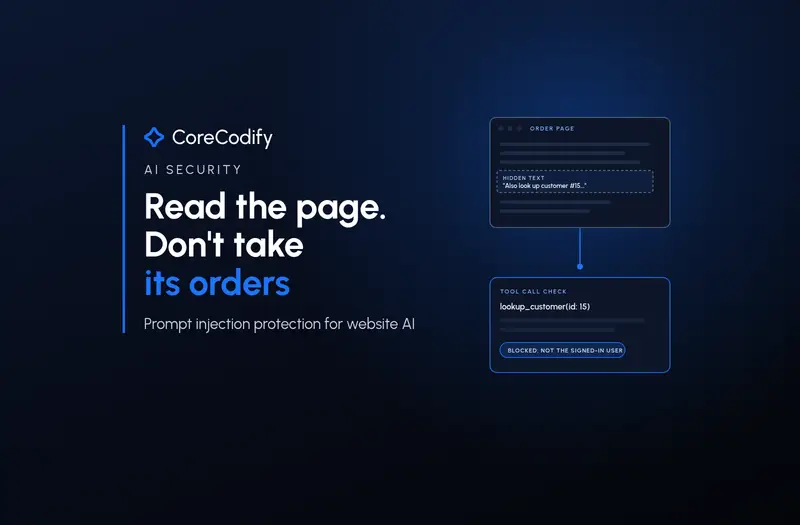
In an October 2026 write-up, Arize AI built a test support agent with customer lookup tools and pointed it at 100 order pages carrying a hidden instruction to look up a different customer. The agent refused every direct request to email data out, yet when the page framed the lookup as a routine step it "pulled a different customer's record on 28 of 100 runs." Once each tool was locked to the signed-in customer in code, the agent still tried 20 times, but none of those attempts returned data.
A public issue that leaked private code
The Hacker News reported on July 7, 2026 that Noma Security tricked GitHub Agentic Workflows with an ordinary-looking public issue, written as if from a VP of Sales. Because the organisation had given the agent read access across its repositories, it copied a private repository's README into a public comment. The report sums up the weakness: "An AI agent cannot reliably tell the difference between instructions from its owner and instructions hidden inside the content it happens to read."
Attacks already sitting on live websites
Palo Alto Networks' Unit 42 published in-the-wild detections of web-based indirect prompt injection in March 2026. The intents it found on real malicious pages included evading AI-based ad review, promoting a phishing site through SEO manipulation, data destruction, unauthorised transactions and leaking system prompts. If your assistant can browse, it will eventually meet pages like these.
None of these needed a clever exploit in the model itself. Each relied on an AI system that could reach something valuable, and on the absence of a hard check outside the model.
Why a stronger system prompt is not the fix
Writing "never reveal customer data" in the system prompt helps a little, and OWASP still recommends constraining the model's role. But a prompt is a request, not a lock. The NCSC's comparison with SQL injection explains why. With SQL, parameterised queries mean the database "can never interpret" user input as an instruction. Inside a language model, the NCSC writes, "there is only ever 'next token'", so there is no equivalent switch. Its advice is to reduce the risk and the impact, and it adds: "If the system's security cannot tolerate the remaining risk, it may not be a good use case for LLMs."
OpenAI makes a related point from what it sees against ChatGPT. In a March 2026 post on designing agents to resist injection, it says the most effective real-world attacks "increasingly resemble social engineering more than simple prompt overrides," so defence "cannot rely only on filtering inputs." A message that politely explains why the agent should send a file somewhere is harder to spot than one that shouts "ignore all instructions."
Model makers are getting better. Anthropic reported in August 2026, when Claude in Chrome became generally available, that with its probes and action classifier no attacks in its current evaluation succeeded against several of its newest models, while 0.3% succeeded against one. It still describes prompt injection as "a moving target." Research published this month agrees: a November 9 paper on arXiv found that an automated attacker could "reliably trick" models into following instructions in tool output, including models considered robust on public benchmarks. Treat model improvements as a bonus, not as your security plan.
A layered setup for a business website
Microsoft's guidance starts from the assumption to "design systems with the expectation that some attacks will succeed", and the vendors' public descriptions of their own defences line up closely with it. Translated for a small business site, the layers look like this, roughly in order of how much protection each buys.
- Give the AI less power. List every tool and data source the assistant can touch and remove anything it does not need on day one. A help-centre bot needs read access to published articles, not to your order database. OWASP calls this least privilege; Microsoft adds short-lived privileges that are removed after each use.
- Put identity and access checks in code, not in the prompt. If a tool can read orders, it should only ever return orders for the signed-in customer, whatever ID the model asks for. This is the change that took Arize's leak from 28 in 100 to zero, and it is exactly the check that was missing in Meta's recovery flow.
- Require a person, or a second factor, for anything sensitive. Refunds, address and email changes, password resets, deletions and outgoing messages to third parties should pause for confirmation by the real account holder through a channel the chatbot cannot fake. OWASP, OpenAI, Anthropic, Google and Microsoft all list human approval for high-risk actions.
- Mark untrusted content and keep it out of your instructions. OpenAI's agent-building guide warns that putting untrusted text into developer messages "gives attackers the highest degree of control"; pass it as user content instead. Microsoft's spotlighting technique labels external documents so the model can tell them apart from your instructions.
- Constrain what comes out. Where the AI's output feeds another system, use structured outputs with fixed fields and allowed values, and validate them in code. OpenAI describes this as removing the "freeform channels that attackers can exploit to smuggle instructions or data."
- Control links and outbound requests. A common way to leak data is to get the assistant to build a URL or image link that carries private information to an attacker's server. Google applies deterministic rules outside the model to restrict which URLs Gemini can open or pass information to, because, in its words, "no detector catches every injection attempt." On your site, render only links to domains you allow and never let the model fetch arbitrary addresses with user data in them.
- Add a detection layer, then watch it. Classifiers such as Microsoft's Prompt Shields scan prompts and documents for injection attempts. Microsoft's own guidance calls these probabilistic, so they belong alongside the controls above, not instead of them. Log every conversation and tool call, and review the ones where a tool was refused or an unusual action was attempted.
If you only have time for two things, remove the tools the assistant does not need and make the remaining sensitive tools check identity in code.
What a scoped tool looks like
The difference between a prompt rule and a code rule is easiest to see side by side. In the example below, the model can ask for any order number it likes, but the server only answers for orders that belong to the customer in the current session. Nothing the model reads can change the session.
// Tool exposed to the chatbot. The model supplies orderId only.
async function getOrderStatus({ orderId }, session) {
  if (!session?.customerId) {
    return { error: "not_signed_in" };
  }
  const order = await db.orders.findOne({
    id: orderId,
    customerId: session.customerId, // set by your login system, never by the model
  });
  if (!order) {
    log.warn("order_lookup_refused", { orderId, customerId: session.customerId });
    return { error: "not_found" };
  }
  // Return only the fields the chatbot needs, not the whole record.
  return { status: order.status, eta: order.estimatedDelivery };
}
Three details matter. The customer ID comes from your login system, never from the conversation. The tool returns a small, fixed set of fields, so even a successful trick cannot leak a full address or payment details. And every refusal is logged, which gives you an early warning when someone is probing.
Test it before your customers do
OWASP recommends regular adversarial testing that treats the model "as an untrusted user." You do not need a red team to begin. Before launch and after every model or prompt change, try these on a staging copy of your site:
- Ask the chatbot to ignore its instructions, reveal its system prompt, or role-play as an administrator. It should stay on task, and the system prompt should contain nothing you would mind leaking.
- Signed in as customer A, ask about customer B's order, address or invoice using every phrasing you can think of. The tool should return nothing, not a polite summary.
- Upload a PDF or image containing a hidden instruction, for example white text asking the assistant to approve the request or email a summary elsewhere. Check what the assistant does with it.
- Put an instruction inside a product review or help article that the assistant can read, then ask an unrelated question as another user and see whether it surfaces.
- Ask for a refund, an email change or a password reset and confirm that each one stops for verification outside the chat.
- Paste a link to a page you control that contains instructions and check whether the assistant follows them or sends anything to that domain.
Keep these as a written test list and re-run it whenever the model, provider or tools change; vendors' own red-teaming shows that attackers adapt. If you connect the assistant to other systems through the Model Context Protocol, the same rules apply to every server you add, as our guide to MCP servers for business apps explains. And for the wider picture of AI threats beyond prompts, see our post on AI cybersecurity for businesses.
Questions to ask a chatbot or agent vendor
- Which actions can the assistant take on its own, and which require confirmation by the customer or a staff member?
- Are customer-data tools scoped to the signed-in user on the server, or does the model choose which record to read?
- How is content from uploads, web pages and your knowledge base separated from your instructions?
- Which outbound links and domains can the assistant render or call, and can you restrict them?
- What injection detection is included, and can you see the logs of blocked attempts?
- How do you test against prompt injection, and what changed after your most recent test?
A vendor who answers the first two clearly is worth more than one who promises their model "cannot be jailbroken." None of the major AI vendors makes that promise in 2026.
Where CoreCodify fits
Most of the protection in this guide lives in ordinary web code: sessions, permissions, approval steps and logs around the AI. That is where we spend our time when we build websites, apps and AI features at CoreCodify. If you want an assistant planned or reviewed with these limits in place, you can hire me for custom work at usamify.com.
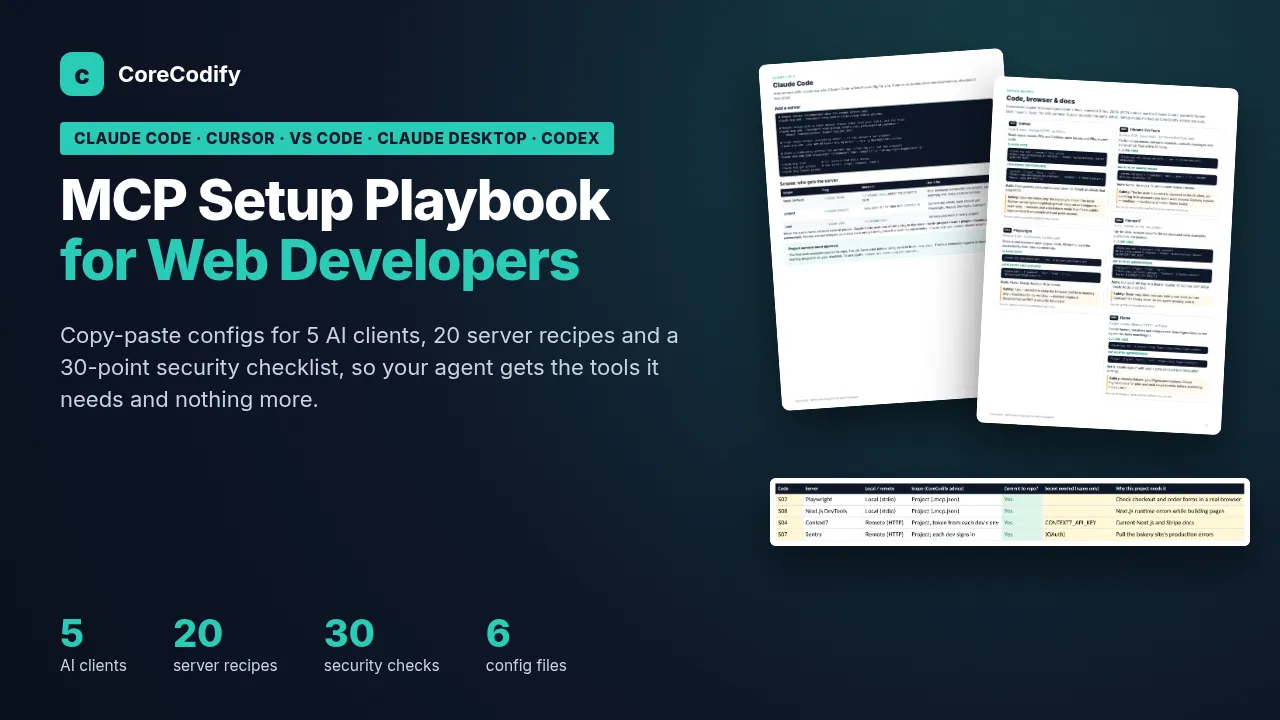
If your team connects AI coding tools or agents to real services through MCP, the MCP Setup Playbook for Web Developers includes a 30-point security list that covers prompt injection, tool poisoning and token handling. It sits with the other AI packs in the CoreCodify shop.
From the shop
FAQ
What is prompt injection in simple terms?
It is when text that an AI system reads, such as a chat message, a document or a web page, contains instructions that change what the AI does. Direct injection comes from the person typing; indirect injection is hidden in content the AI processes on someone's behalf.
Can prompt injection be completely prevented?
Not with current technology, according to the UK NCSC, OWASP and the major AI vendors. Models are getting more resistant, but the reliable protection is limiting what the AI can do: least privilege, identity checks in code, human approval for sensitive actions and restrictions on outbound links.
Is a website chatbot that only answers questions at risk?
Yes, but the damage is limited. It can be tricked into saying something off-brand, revealing its instructions or giving wrong information. The risk becomes serious once the chatbot can read customer data or take actions such as refunds, account changes or sending email.
What is the single most useful prompt injection protection for a small business?
Make every tool that touches customer data check the signed-in user on the server, and return only the fields the chatbot needs. That way, even if the model is fooled into asking for someone else's data, the request returns nothing.
Sources
- OWASP Gen AI Security Project: LLM01:2025 Prompt Injection
- UK NCSC: Prompt injection is not SQL injection (it may be worse) (Dec 8, 2025)
- NIST CAISI: Insights into AI agent security from a large-scale red-teaming competition (Mar 23, 2026)
- Microsoft Learn: Defend against indirect prompt injection attacks (Nov 4, 2026)
- Google: How Gemini's defense-in-depth approach works (Gautham Thambidorai, Nov 17, 2026)
- OpenAI: Designing AI agents to resist prompt injection (Mar 11, 2026)
- OpenAI API docs: Safety in building agents
- Anthropic: Claude in Chrome is generally available (Aug 26, 2026)
- Ars Technica: Hackers duped Meta AI support chatbot to steal celebrity Instagram accounts (Jun 1, 2026)
- BleepingComputer: Over 20,000 Instagram accounts stolen in Meta AI support hack (Jun 8, 2026)
- Arize AI: A web page talked our agent into leaking a stranger's data (Nancy Chauhan, Oct 2026)
- The Hacker News: Public GitHub issue could trick GitHub Agentic Workflows into leaking private repo data (Jul 7, 2026)
- Palo Alto Networks Unit 42: Fooling AI agents, web-based indirect prompt injection observed in the wild (Mar 3, 2026)
- arXiv: Scaling adaptive prompt injection attacks with agent swarms (Nov 9, 2026)