
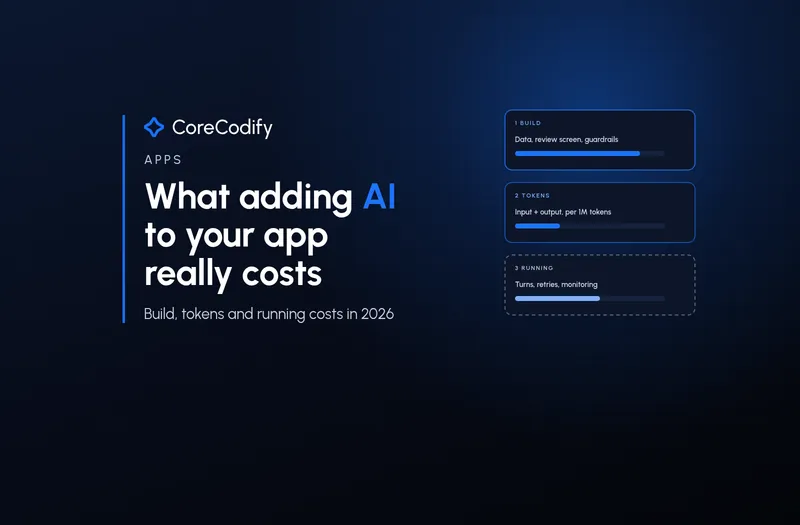
What adding AI to your app really costs in 2026: build, tokens and running costs
Quick Go-Through:
Token prices moved again this week. On 9 November Anthropic cut the price of its top model by 20%, and on 10 November Google released Gemini 4 Carbon at an introductory price that doubles on 1 December. For anyone planning an AI feature, that makes the obvious question harder to answer: what will it actually cost? This guide splits the answer into the three bills that matter, which are building the feature, paying for tokens and running it month after month, using prices published by the providers in November 2026 and cost data from teams that build and pay for these features.
Why the price list is not the bill
The per-token price is the number everyone compares, and it is the least reliable guide to what you will pay. A November 7 analysis in The Spend Ledger put it bluntly: "the number on the provider's price list has almost nothing to do with the number on the invoice." A single user request can trigger several model calls, tool actions and retries, and the same analysis cited estimates that this compounding pushed agent workloads to 1.9 times the planned budget in a moderate case and 4.7 times in a severe one.
So the useful way to think about cost is not price per million tokens. It is the cost to build the feature once, the cost of each completed task, and the work needed to keep both under control as usage grows.
Bill one: building the feature
Build cost depends far more on what the AI does than on which model it uses. Axtra Studios, a development agency, published a breakdown in October 2026 based on its own projects and priced at the US agency rates of $100 to $149 an hour that Clutch reports. A feature on a hosted model that drafts, summarises or sorts takes about 120 to 300 hours, or roughly $12,000 to $45,000. An assistant that answers from your own data, with sources and an evaluation set, takes about 300 to 700 hours, or $30,000 to $105,000. An agent that takes actions, with guardrails and human sign-off, takes about 700 to 1,400 hours, or $70,000 to $210,000.
The agency's CTO, Shahzaib Shakeel, says the model is the cheapest part of all three: "The cost is in the product around it, so the data it sees, the guardrails, the screen where a person checks its work and knowing whether it actually worked." That matches what tends to surprise teams. Scanned documents, duplicate records and permissions that nobody has written down add hours before any model is called, and the screen where a person reviews and corrects the AI's output is real design and development work, not an afterthought.
Your own rates will differ from US agency rates, but the hour ranges are a useful sanity check. If a quote for an action-taking agent is a few days of work, ask what is missing: usually the evaluation set, the limits written in code, or the fallback when the model is wrong.
Bill two: tokens, at November 2026 prices
Providers charge per million tokens, with input and output priced separately and output usually five times dearer. On OpenAI's pricing page this month, GPT-6 Luna costs $0.10 per million input tokens and $0.50 per million output tokens, GPT-6.1 Terra costs $1 and $5, GPT-6.1 Sol $2 and $10, and the top GPT-6 Astra $10 and $50. Anthropic lists Claude Haiku 5.5 at $0.10 and $0.50 for prompts up to 100,000 tokens, Claude Sonnet 5.5 at $2 and $10, and Claude Opus 5.5 at $4 and $20.
At the top end, Anthropic released Claude Fable 5.2 on 9 November at $8 per million input tokens and $40 per million output tokens, down from $10 and $50 for Fable 5.1, which CNBC reported as a 20% cut. A day later Google made Gemini 4 Carbon available in its API at $2 and $10 per million tokens, but Google's own announcement says that after the introductory period ends on 30 November, $4 and $20 will apply. OpenAI's page also flags promotional pricing on GPT-5.6 Sol that runs until 30 November.
Prices do not only go down. Bertrande, which tracks API prices, counted 46 headline price moves in the first ten days of November 2026: 23 cuts and 23 increases. When you budget, use the price that will apply after any introductory offer, and recheck it before launch.
A worked example: one drafting feature, 1,000 users
Take a feature that drafts a reply or summary inside your app, used 30 times a month by 1,000 active users. Using the same assumptions as Axtra's October guide, about 3,000 tokens in and 400 tokens out per use with no caching, that is 90 million input tokens and 12 million output tokens a month. At this month's list prices, that costs about $15 a month on GPT-6 Luna or Claude Haiku 5.5, about $150 on GPT-6.1 Terra, about $300 on Claude Sonnet 5.5, GPT-6.1 Sol or Gemini 4 Carbon at its introductory price, about $600 on Gemini 4 Carbon from December, and about $1,200 on Claude Fable 5.2.
That is an 80-fold spread for the same feature, which is why model choice is a product decision and not a technical detail. For short drafting tasks, a small model that passes your tests is usually the right one. For most products the token bill for a feature like this is small next to the build cost, but it scales directly with users: at 100,000 active users, the same $300 a month becomes $30,000.
Two details change these numbers in practice. Anthropic's pricing page notes that Claude 4.7 and later models use a newer tokenizer that produces approximately 30% more tokens for the same text, so a per-token comparison across providers is not exactly like for like. And prompt caching can cut the input bill sharply: on Claude Sonnet 5.5, a cache read costs $0.10 per million tokens instead of $2, so if 2,500 of those 3,000 input tokens are a fixed instruction block, the example drops from about $300 to roughly $160 a month before cache-write charges.
Bill three: running costs that grow on their own
Agents change the maths, because they decide for themselves how many steps to take. On an SD Times Live! Supercast about the economics of AI, written up on 4 November, Jerod Johnson of CData Software said: "What organizations are paying now depends on how agents behave more so than on how people use it." He described cost as context times turns times model, and shared figures from CData's internal benchmark: runs without business context took a median of 29 turns against 7 with it, and the full run without context cost $350 for one correct answer, while with context it cost $93 for 318 correct answers, about 29 cents each. His summary: "A cheap run that fails is going to be the most expensive run that there is, because you haven't gotten the correct answer yet."
On the same panel, J.R. Storment of the Tokenomics Foundation warned that switching to a cheaper model can backfire if your workload relies on caching: "you break your cache, and suddenly you're paying for uncached." He also pointed out that only 9% of respondents to the foundation's survey were really confident they could show value for their AI spend. VentureBeat made the same point about this week's price war: on some tasks, the model with the lower token price can cost more to run.
Running costs also include things that never appear on the provider's invoice: monitoring, evaluation runs when a model is replaced, logging, and the hosting for search indexes or vector databases. The Spend Ledger lists monitoring, evaluation, retraining, compliance evidence and model updates as recurring lines that are often left out when a pilot budget becomes a production budget.
Who pays: absorbing the cost or charging for it
Once the feature is live, someone has to pay for every call. In Nalpeiron's 2026 State of B2B Software Monetization study, fielded in June 2026, 44% of 243 software companies with AI features absorb the cost entirely in existing pricing, 42% partially pass it on through credits or token pricing, and only 13% pass it on fully. Simon-Kucher's Global Software Study 2026 found software leaders expect a median 20% increase in AI cost-to-serve over the next two years, and only 23% currently measure that cost at the account, workflow or API level.
For a small business, the practical version is simple. Decide up front whether the feature is included in your plan, limited per user, or sold as an add-on, and make sure you can see the cost per customer before you choose. Rho's November guide on startup AI spend suggests a separate payment method and a hard monthly limit per AI provider, so a runaway job stops at a number you chose.
An eight-point checklist before you budget an AI feature
- Write down the one job the AI will do, who does it today and how often, then pick the build tier: drafting, answering from your data, or taking actions.
- Collect 30 to 50 real examples with the answer you would accept, and test the cheapest model first. Move up only when it fails.
- Estimate tokens per use (input and output separately), uses per user and active users, then price it at the rate that applies after any introductory offer.
- Measure cost per completed task or correct answer, not cost per token or per call.
- Cache fixed instructions and shared context, use batch pricing for work that can wait, and route simple requests to a small model.
- Set limits in code: a cap on turns, retries and tokens per task, a usage limit per user, and a hard monthly spending limit with each provider.
- Budget the hidden lines: monitoring, logging, evaluation reruns when the model changes, and the search or database hosting behind it.
- Launch to a small group first, compare the real bill with your estimate, and decide whether the feature is included, limited or charged for before opening it to everyone.
Where CoreCodify fits
Adding AI to an app costs less than it did a year ago per token, and more than most teams expect in total. The build is driven by data, review screens and guardrails, the token bill by model choice and usage, and the running cost by how many steps each task takes. Get those three numbers on paper before the first line of code and the feature is far more likely to pay for itself.
At CoreCodify we design and build websites and apps with AI features scoped to what the technology really does, including model selection against real examples, caching and routing, per-user limits and cost tracking from day one. If you want an AI feature with a running cost you agreed to rather than one you discover on the first invoice, hire me for custom work at usamify.com.
Sources
- OpenAI: API pricing (checked Nov 11, 2026)
- Anthropic: Claude API pricing (checked Nov 11, 2026)
- Anthropic: Introducing Claude Fable 5.2 and Claude Mythos 5.2 (Nov 9, 2026)
- CNBC: Anthropic releases Claude Fable 5.2 and Claude Mythos 5.2 ahead of IPO (Nov 9, 2026)
- Google: Gemini 4 Carbon is now available (Nov 10, 2026)
- Google AI for Developers: Gemini Developer API pricing
- VentureBeat: Google Gemini 4 Carbon is now publicly available and undercuts Claude Fable 5.2 and Opus 5.5 on API price (Nov 2026)
- Bertrande: AI API prices in November 2026, what changed
- Axtra Studios: How to add AI to your app in 2026, what it costs (updated Oct 10, 2026)
- The Spend Ledger: One user request, four model calls, a bill nobody budgeted (Nov 7, 2026)
- SD Times: Your AI Bill Is a Data Problem (David Lyman, Nov 4, 2026)
- Nalpeiron: How B2B companies handle AI inference costs (2026 benchmark)
- Simon-Kucher: Global Software Study 2026, commercializing AI
- Rho: How much do startups spend on AI? Monthly benchmarks by stage (Nov 5, 2026)