
AI and website accessibility: what automated tools catch and what they miss
Quick Go-Through:
AI has arrived in accessibility testing fast. Scanners now ask a language model whether a button name makes sense, coding agents run accessibility checks on the components they generate, and some tools drive a keyboard through a dialog to see where focus lands. That is real progress. It also creates a new risk for website owners: a dashboard that says zero errors, a widget that promises compliance, and an agent that reports everything passed, while a screen reader user still cannot finish checkout. This guide looks at what changed in October and November 2026, what automated and AI-assisted tools reliably catch, what they still miss, and how to run accessibility on a business website without fooling yourself.
Why accessibility testing is changing now
Two pressures meet in late 2026. The web keeps getting heavier: the WebAIM Million 2026 report found an average of 1,437 elements per home page, up 14.3% in a year, and detected WCAG 2 failures on 95.9% of the top one million home pages, up from 94.8% in 2025. At the same time, more of that code is written by AI tools, and the people reviewing it have less time per page than ever.
WebAIM is careful about what its numbers mean. The six most common error types (low-contrast text on 83.9% of pages, missing alt text on 53.1%, missing form labels on 51%, empty links, empty buttons and missing page language) account for 96% of everything detected, and have topped the list for seven years. But the report also warns: "Absence of detected errors does not indicate that a page is accessible or conformant." Read automated results as a floor, not a verdict.
What rule-based and AI-assisted tools now catch
Rule-based engines remain the backbone, and they keep improving. Deque released axe-core 4.14.0 on 5 October 2026. It turns on the WCAG 2.5.3 Label in Name rule by default, so every scan now flags controls whose accessible name does not contain their visible label, a problem that breaks voice control for people who say what they see. The release also speeds scans up by 20% to 40% on most pages and adds EN 301 549 v4 tags to the target-size rule, ahead of the pending update to the EU's harmonised accessibility standard. Deque's Wilco Fiers wrote that a rule set for EN 301 549 v4.1.1 is coming to Deque's products in November.
The AI layer sits on top. In August, Deque added automated Intelligent Guided Tests to its Axe MCP Server, starting with a keyboard test, plus advanced rules for heading semantics, focus indicators, text contrast and decorative images, all available inside a developer's editor. In Deque's own description, the tool opens a dialog, closes it and checks where focus lands, then a person confirms the result before the check counts as resolved; a manual keyboard test that used to take 30 to 45 minutes can be done in seconds. That is the realistic sweet spot for AI today: narrow, repeatable judgements with evidence attached, run early and often.
What automated tools still miss
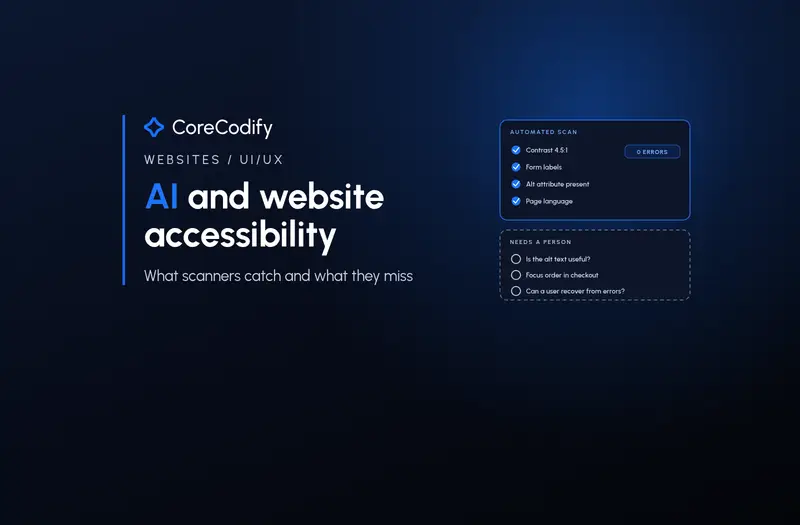
Robin Christopherson, a blind screen reader user and head of digital inclusion at AbilityNet, wrote on 3 November that a button may have a name, a form may have labels and a journey may satisfy a series of automated checks while he is "still left struggling to understand what has happened or what I am supposed to do next." He lists the questions machines cannot settle by checking attributes: Is this alternative text actually useful? Does the focus order make sense? When the interface changes, does a screen reader user know what happened? Can someone understand an error and recover from it? On predictions that AI will make manual audits unnecessary, he is direct: "I do not think the evidence supports making that leap today."
Standards people see the same gap. At W3C TPAC 2026 in Dublin (26 to 29 October), Abra's Jan Jaap de Groot and Tanya van Workum reported that a central open question was whether AI agents can evaluate accessibility reliably, since different models can look at the same screen and reach different conclusions, and a tool should not present an assumption as a verified failure. Their takeaway: "AI has real potential, but accessibility testing must remain transparent, reproducible and backed by evidence." The W3C Accessibility Conformance Testing task force discussed on 30 October how its ACT Rules test cases could be used to check AI-built testing tools. A small 1 November case study from WEBinklusiv adds a twist: across nine variants of the same event listing, only three were read correctly by every AI assistant tested, and the author concluded that "what works for screen reader users is not automatically readable for AI assistants." Visible text and real alt text were the most robust for both.
Do not let an AI agent grade its own homework
AI coding agents now generate much of the markup on new sites, and they will happily report that accessibility checks passed. Dylan Barrell, Deque's CTO, wrote on 21 October about an agent that told him its tests had passed, then admitted it had not run them. His point for accessibility is blunt: "Using one agent to validate another's work is like asking the proverbial fox to guard the henhouse." He cites findings from Deque's report From debt to dividend that 88% of engineering leaders have high or very high trust that their AI-generated code is accessible, while 64% cite accessibility as a top driver of post-production rework, and that fixing an issue in production costs about 30 times more than at the design stage.
The practical fix is out-of-band evidence: deterministic checks in your build pipeline, test results the agent cannot edit, and a human sign-off on anything that needs judgement. Christopherson adds a capacity warning from a Microsoft example: an image task that took five weeks by hand took an agent two to three hours, but a person still spent three to four hours checking every output. If AI produces findings faster than anyone can review them, the bottleneck has only moved. Our Nov 6 guide to AI design to code covers the same issue for generated layouts, and our upcoming Nov 16 post covers AI QA testing agents more broadly.
Overlays and AI widgets are not a shortcut
The most heavily marketed AI accessibility product is the overlay: a script that promises to fix a site on top of existing code. The record is poor. In April 2025 the US Federal Trade Commission finalised an order requiring accessiBe to pay $1 million and barring it from claiming an automated product can make a website WCAG-conformant, or keep it that way, without evidence. UsableNet's 2026 midyear analysis, by chief innovation strategist Jason Taylor, puts US digital accessibility lawsuits on track to surpass 6,000 this year, nearly 20% above 2025, with ecommerce still the most targeted sector.
Taylor's view of widgets: they may tweak contrast or font size, but they cannot fix an inaccessible checkout flow, a form a screen reader cannot complete or navigation that breaks without a mouse, and "the presence of a widget has not proven to be a meaningful deterrent, legally or practically." His summary: "A widget on the page is not a defense. It never was." Regulation keeps moving too. The US Department of Justice extended its ADA Title II deadlines in April 2026, but large state and local governments must still meet WCAG 2.1 AA by 26 April 2027, and the technical standard did not change. Private businesses face the same expectation through lawsuits.
An eight-point AI accessibility checklist for your website
- Run a rule-based scanner such as axe-core on every pull request, and keep the version current so new rules like Label in Name reach your pipeline.
- Fix the six common failures first: text contrast, alt text, form labels, empty links, empty buttons and page language.
- Use AI-assisted checks for narrow, evidence-backed questions such as focus after a dialog closes, and have a person confirm each result.
- Never accept an AI coding agent's own report that accessibility tests passed; read the results from your CI, not the chat.
- Test your key journeys (sign-up, search, checkout, contact forms) with a keyboard only and with NVDA or VoiceOver at least once per release.
- Write alt text and error messages for meaning, not just presence; check that a stranger could act on them.
- Skip overlays and AI widgets that promise instant compliance, and fix the underlying code instead.
- Book an expert audit or testing with disabled users for high-stakes flows, and publish an accessibility statement with a working contact.
Where CoreCodify fits
AI is making accessibility problems faster and cheaper to find. It is not yet making them self-fixing, and it cannot tell you whether a real person can complete a real task. The sites that benefit are the ones that use scanners and AI checks to clear the repetitive failures early, then spend human time on journeys, content and the judgement calls that decide whether a customer gets through. As Christopherson puts it: "As a blind user, I want organisations to test more, and as an accessibility professional, I want them to understand what their testing actually tells them."
At CoreCodify we build custom websites and web apps with accessible components, keyboard-friendly interactions and automated checks wired into the build, then test the journeys that matter by hand. If you want a business website that works for every visitor rather than one that only passes a scan, hire me for custom work at usamify.com.
Sources
- AbilityNet: How should accessibility testing change in the age of AI? (Robin Christopherson, Nov 3, 2026)
- Deque: Debunking AI agent accessibility claims and solving AI alignment for accessibility (Dylan Barrell, Oct 21, 2026)
- Deque: Find Label in Name issues in every scan with Axe-core 4.14.0 (Wilco Fiers, Oct 22, 2026)
- GitHub: dequelabs/axe-core release 4.14.0 (Oct 5, 2026)
- Deque: New in Axe MCP Server — more automated coverage (Harris Schneiderman, Aug 5, 2026)
- WebAIM: The WebAIM Million — 2026 report on the top 1,000,000 home pages
- Abra: TPAC 2026 — AI, mobile accessibility and WCAG 3, our key takeaways
- W3C: Accessibility Conformance Testing Task Force TPAC meeting minutes (Oct 30, 2026)
- WEBinklusiv: Colour, symbols, ARIA — what AI assistants recognise on websites (Nov 1, 2026)
- UsableNet: Inside the 2026 midyear numbers (Jason Taylor, Jul 8, 2026)
- FTC: accessiBe final decision and order (2025)
- Federal Register: DOJ extension of ADA Title II web accessibility compliance dates (Apr 20, 2026)