
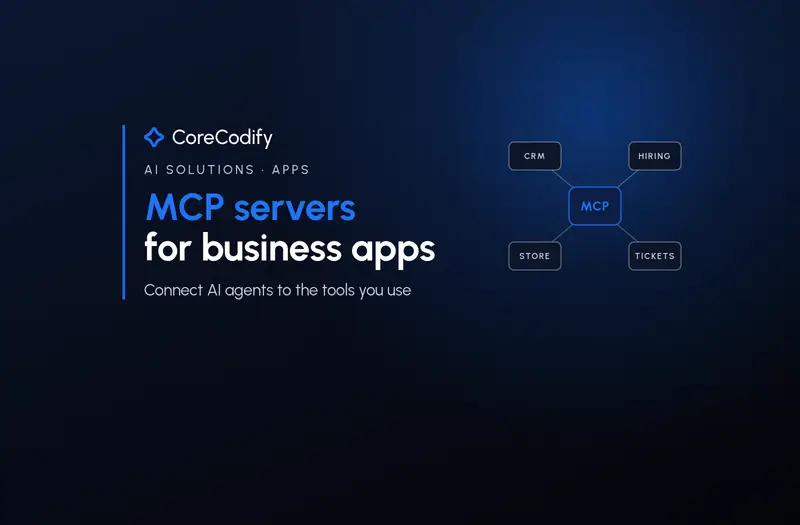
MCP servers for business apps: connecting AI agents to the tools you already use
Quick Go-Through:
In the first days of November 2026, a hiring platform, a help desk, a Mac CRM, an ecommerce platform and a team chat app all announced the same feature: an MCP server. A week earlier, Microsoft made one generally available for Dynamics 365 Sales. If you run a business on software like this, the question is no longer whether your tools will talk to AI agents. It is which connections are worth switching on, what they should be allowed to do, and when your own app needs one. Here is a practical guide based on this week's launches, the protocol's own specification and fresh security research.
What an MCP server actually is
The Model Context Protocol (MCP) is an open standard that lets an AI assistant such as Claude, ChatGPT or Copilot connect to other software through a defined set of tools. An MCP server is the piece a software company runs so those assistants can look things up and take actions inside its product. Instead of copying records from your CRM into a chat window and pasting the answer back, the assistant reads and updates the CRM directly, within limits you set.
The standard itself is maturing quickly. The 2026-07-28 specification, released in July, made the protocol stateless so servers can run behind ordinary load balancers, hardened authorization and introduced a formal deprecation policy with a twelve-month minimum window. It also states the principle every business should hold vendors to: “Users must explicitly consent to and understand all data access and operations.”
This week's launches show where business apps are going
The early-November launches cover most of the software a small or mid-sized company already pays for. Breezy HR said on 3 November that recruiters can now connect Claude, ChatGPT or Cursor to its applicant tracking system to “screen applicants, move candidates and draft messages through a simple chat”, while adding that “your team still makes every hiring decision.” Wrangle, a ticketing tool that lives in Slack, launched an MCP server on 2 November so assistants can analyse ticket data and create or update requests. Daylite opened early access to a local MCP server for its Mac CRM the same day.
Ecommerce and team chat moved too. Zoey, a B2B ecommerce platform, built an MCP server into every store on 3 November, so an assistant can look up orders, build quotes, ship orders and update inventory. Pachca, a team messenger, launched one the same day that lets agents summarise discussions and create tasks from threads. Nektar launched an MCP server for the customer conversation data that, as it puts it, “often contain information that never makes it into CRM.” Earlier in the year, HubSpot made its remote MCP server generally available to all HubSpot accounts on 13 April, with read and write access to contacts, deals, tickets and activities.
Why this matters: the CRM becomes something you talk to
Microsoft's Dynamics 365 Sales announcement on 29 October explains the bigger shift. Its MCP server exposes 59 governed tools covering opportunities, leads, accounts, activities, pricing, quotes and orders. The authors, Taruna Manchanda and Ritesh Darbarwar, describe this as a step toward “headless CRM” and write that “each tool performs a single governed action”, like qualifying a lead or recalculating a price. An agent combines several of those actions to finish a job such as turning an approved quote into an order.
For a business owner, that means the screens of your software start to matter less than the actions it exposes. A sales manager could ask an assistant to list deals that have not moved in two weeks and draft follow-ups, without opening three tabs. Sales Tech Edition noted that Microsoft, HubSpot and Salesforce now all publish a front door for AI agents they did not build, and that the three are built differently. That difference is exactly what you need to check before you connect anything.
Permissions: the first thing to check
The better launches this week share one design choice: the AI assistant gets the same permissions as the person who connected it, and no more. Breezy says every action follows existing user permissions, so connecting an assistant “doesn't open candidate data to anyone who couldn't already access it.” Wrangle, HubSpot and Pachca say the same, and Microsoft's server follows existing Dataverse roles. Zoey goes a step further and labels each tool: lookups are read-only, creates and updates are marked as changes, and deletes and cancellations are marked destructive, so the assistant asks before running them.
That makes the person who connects the assistant important. If an owner with full admin rights connects an AI tool, the tool can do everything the owner can. Zoey's advice is practical: to give the assistant less access, connect it with an account whose role allows less. Daylite takes a conservative route in its early access: the server runs only on your Mac, is off by default, cannot delete records and limits each search to 100 records.
Sign-in and approvals: what the research found
Not every MCP server is built as carefully as these. MCP Market's State of MCP server security report for October 2026 graded 48,447 servers from the official MCP registry. In a random sample, 16% of remote servers (241 of 1,534 probed) listed tools that create, send or delete for anyone who connects, with no sign-in and no API key. Only 26% used OAuth, the sign-in method the MCP specification defines, and a third named no source repository at all. Its advice for teams is simple: prefer remote servers with OAuth and “keep write tools behind approval in your client.”
Published vulnerabilities are also rising. An October analysis by Akrenon counted 833 published vulnerabilities in MCP servers, clients and SDKs, with 51.1% rated high or critical and the total growing 4.5 times in six months. That is not a reason to avoid MCP, since the biggest vendors have shipped carefully designed servers, but it is a reason to favour official servers from the software company itself over unknown community ones. Attacks that hide instructions inside the data an agent reads are a separate topic we will cover in our upcoming prompt injection guide.
When your own app needs an MCP server
If you sell software or run a custom web app, your customers will soon expect the same thing. The good news is that the work is mostly about deciding what to expose, not about the protocol. Start with read-only tools that answer common questions, such as order status or account details, then add write tools one at a time, each mapped to a single action with clear limits. Use OAuth so actions run as a real signed-in user with that user's permissions, label destructive tools so clients ask before running them, and log every call so you can see what agents did.
Keep the tool list small and well described. MCP Market found a median of seven tools per server, and the launches this week are focused rather than exhaustive. A short list of clear, single-purpose tools is easier for an AI model to use correctly and easier for your customers to trust.
An eight-point checklist for connecting MCP servers
- List the three tasks you want an AI assistant to do in each app, such as reviewing applicants or chasing stale deals, before you connect anything.
- Use the official MCP server from the software vendor where one exists, and check its documentation for exactly what tools it exposes.
- Prefer servers that use OAuth sign-in and follow your existing user permissions.
- Connect with an account whose role allows only what the assistant needs, not an owner or full admin account.
- Start read-only, then turn on write actions one at a time once you trust the results.
- Keep approval prompts on for anything that sends, deletes, pays or changes customer data.
- Review the connected apps list in each tool every month and disconnect anything unused.
- Keep people in charge of decisions such as hiring, pricing and refunds, and let the assistant do the busywork.
Where CoreCodify fits
MCP servers are turning business apps into tools you can talk to. Used well, they remove hours of copying between tabs. Used carelessly, they hand an AI assistant more access than any new employee would get on day one.
At CoreCodify we design and build custom websites, web apps and AI features, including MCP servers that expose the right actions from your own app with proper sign-in and permissions. If you want your product or internal tools connected to AI agents safely, hire me for custom work at usamify.com.
Sources
- Model Context Protocol Blog: The 2026-07-28 Specification (Jul 28, 2026)
- Model Context Protocol: Specification 2026-07-28, key principles
- Breezy HR: Breezy MCP Server (Nov 3, 2026)
- Wrangle: Introducing Wrangle MCP (Nov 2, 2026)
- Daylite: AI Integration Early Access (Nov 2, 2026)
- Zoey: Introducing the Zoey MCP Server (Nov 3, 2026)
- Pachca: Pachca launches an MCP server for connecting AI agents (Nov 3, 2026)
- Nektar: Introducing Nektar MCP (Nov 3, 2026)
- HubSpot Developers: Remote HubSpot MCP server is now generally available (Apr 13, 2026)
- Microsoft: Dynamics 365 CX MCP Server - Sales is now generally available (Oct 29, 2026)
- Sales Tech Edition: Microsoft ships a Sales MCP server, and HubSpot and Salesforce have their own
- MCP Market: State of MCP server security, October 2026
- Akrenon: MCP Security Statistics 2026 (Oct 23, 2026)