
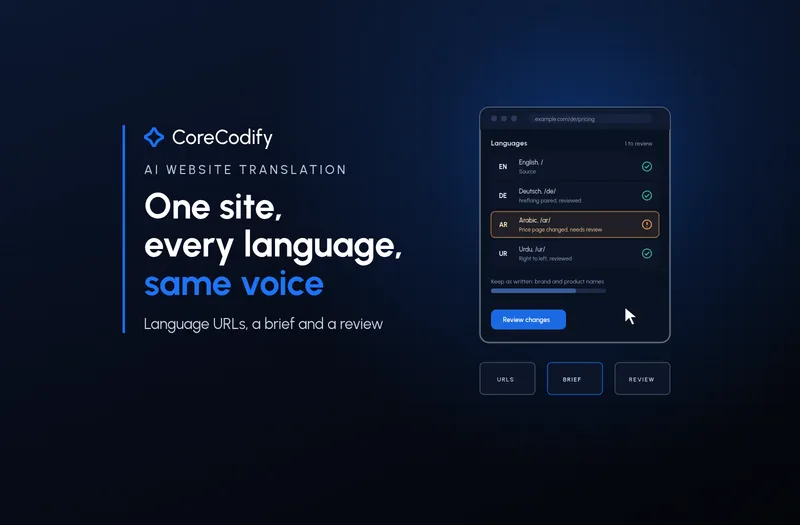
AI website translation in 2026: going multilingual without losing your brand or SEO
Going multilingual the careful way:
Translating a website used to be a budget decision. You paid per word, waited for an agency, and usually stopped at one or two languages. In November 2026 that barrier is close to gone. In the first ten days of the month alone, TransPerfect relaunched Bablic for small businesses with pricing by visits instead of words, the Code Snippets team released TranslateWP for WordPress with a free plan, SuperbThemes launched Superb Translate for WordPress and WooCommerce, Universally brought AI translation to HubSpot pages, and RWS launched Weava for enterprise content. Weglot had started rolling out its 2.0 version in late September. The translation itself is now cheap and fast. The hard part has moved: deciding how translated pages are delivered so search engines can find them, making the AI sound like your business instead of a generic machine, and knowing which pages a person still has to read before they go live. This guide works through those three decisions in order.
Start with the question: who is the second language for?
Before choosing a tool, write down one sentence about the visitors you are translating for and what you want them to do. "Customers in the Gulf who order our products by WhatsApp" leads to different choices from "people who already land on our English pages from Germany". The first needs Arabic product pages, prices and a contact flow that works in Arabic. The second may only need German versions of the pages that already get that traffic, and a check in your analytics after a month.
The reason this matters is that translation is now easy enough to do too much of. A tool can put a 200-page site into 30 languages in an afternoon. That creates 6,000 pages you are responsible for, most of which nobody will ever read and some of which will say things you did not mean. One language done properly, on the pages that earn money, beats ten languages nobody checked.
Why it is worth doing at all
The most cited evidence is still CSA Research's "Can't Read, Won't Buy" survey of 8,709 consumers in 29 countries, run with Kantar and published in July 2020. It found that 76% of online shoppers prefer to buy products with information in their own language and 40% will never buy from websites in other languages. Two less quoted numbers from the same study are just as useful for planning: 65% said they prefer content in their language even if it is poor quality, and 67% said they tolerate mixed languages on a website. In other words, visitors will forgive a partly translated site. They are much less forgiving of a site they cannot read at all.
The data is from 2020, before AI translation became routine, so treat it as a direction, not a forecast for your shop. The point that still holds is the one CSA's chief research officer, Donald A. DePalma, made at the time: companies that do not localise the buying experience "risk losing 40% or more of the total addressable market". For a small business, the practical version is simpler: if a real share of your visitors or enquiries already come from people who would rather read another language, translation is likely to be one of the cheapest conversion improvements available to you in 2026.
Decision one: how translated pages reach visitors and Google
Every AI website translation tool falls into one of a few delivery patterns, and the pattern matters more for SEO than which AI model sits behind it. Google's own guidance on multilingual sites is direct: it "recommends using different URLs for each language version of a page rather than using cookies or browser settings to adjust the content language on the page." It also explains why. Googlebot usually crawls from the United States and "sends HTTP requests without setting Accept-Language in the request header", so a page that only changes language based on the visitor's browser may never be seen in its other languages at all.
| Delivery pattern | Examples | Separate URL per language? | Good fit for | Watch out for |
|---|---|---|---|---|
| Script or proxy layer added to the existing site | Bablic (one line of JavaScript), Universally for HubSpot, Weglot on JavaScript sites | Only if you switch on the tool's SEO deployment on subfolders or subdomains (on Bablic, part of the Core and Pro plans) | Sites on builders you cannot change much, quick tests of demand | A plain in-page switcher on one URL is invisible to search; check the SEO deployment option is actually on |
| CMS plugin with language folders | TranslateWP, Superb Translate, Weglot 2.0 on WordPress | Yes, such as /fr/ or /de/, with hreflang added by the plugin | WordPress and WooCommerce sites | Some plugins translate a page the first time someone visits it, so new pages may be untranslated until opened |
| Built into the platform | Shopify Translate & Adapt | Yes, through the platform's language and market settings | Shopify stores | Limits by country: stores in most countries, including Pakistan, can auto-translate 2 languages and have no weekly Auto-sync |
| Files translated in your own build | AI translation of content files or a headless CMS, reviewed in pull requests | Yes, you choose the structure | Custom React, Next.js or app projects | You own hreflang, sitemaps and keeping languages in sync |
For most small businesses the choice comes down to which platform the site already runs on. The rule to hold every option to is the same: each language must have its own URL that loads in that language without cookies, scripts that wait for a click, or a redirect based on the visitor's location.
On structure, Google lists subdirectories such as example.com/de/ as easy to set up and low maintenance, subdomains such as de.example.com as easy to separate, country domains such as example.de as the clearest signal for one country but the most expensive, and URL parameters such as ?loc=de as "Not recommended". For a business that is not opening offices abroad, folders on the main domain are usually the sensible default.
What Google actually needs from translated pages
A few technical details decide whether translated pages rank on their own or quietly compete with each other. Most good tools handle them, but it is worth checking each one on your own site, because a single wrong setting can hide a whole language.
- Visible language, not code. Google says it uses the visible content of a page to work out its language: "We don't use any code-level language information such as lang attributes, or the URL." A page with a translated menu and footer but English body text is still an English page to Google, and Google warns this can show the same content several times in results with different boilerplate languages.
- Hreflang in pairs. Hreflang tags tell Google which pages are translations of each other. Google's rule is that each version "must list itself as well as all other language versions", and "If two pages don't both point to each other, the tags will be ignored." Add an x-default version for visitors whose language you do not cover.
- No automatic redirects by language or location. Google advises against "automatically redirecting users from one language version of a site to a different language version". Offer a visible language switcher and let people choose. A suggestion banner is fine; a forced redirect is not.
- Translated titles, descriptions and image text. Search results show the title and description, so those need translating too. TranslateWP, for example, lists a translated title, hreflang and a canonical tag for every language on its free plan, and Weglot 2.0 added translation of text inside images.
- Sitemaps that include every language. If your sitemap only lists English URLs, new translated pages are slower to be found.
There is also the spam question. Older Google guidance listed "Text translated by an automated tool without human review or curation before publishing" as an example of spammy auto-generated content. Google's current spam policies have replaced that with a broader rule on scaled content abuse, which judges pages on whether they add value, "no matter how it's created". Scraping other sites' content and "translating" it to make many pages is named as an example. Translating your own useful pages for real readers is not. In June 2025 Google also removed old advice about using robots.txt to block automatically translated pages, describing it as a docs-only change. When asked about machine translation reviewed by people, Google's Lizzi Sassman said in 2022 that it is "totally fine for Google as long as there's a human involved in the review process. That's the key."
Decision two: making the AI sound like your business
The errors that matter have changed. The French WordPress site WPMarmite put it well in its October 2026 review of Weglot 2.0: with AI, the old comic mistranslations have (almost) disappeared, but "the mistakes are more subtle: a casual tone where your brand is formal, a product name that gets translated when it should have stayed untouched. The text is correct, but it doesn't sound like you."
That is why the 2026 tools all ask for the same kind of input before they translate anything. Weglot 2.0 asks for a Brand Voice (what the business does, who it is for, and its tone) and Translation Guidelines that apply to all future translations. TranslateWP reads your site and suggests a description, style and tone you can change, plus a Lexicon for product names and key terms. Bablic and Universally offer glossary rules. Augustin Prot, Weglot's CEO and co-founder, described the shift in WPMarmite's review: "AI has made translation faster and more accessible, but translating text is only one part of building a multilingual website."
Whatever tool you use, write the brief yourself before you switch it on. Half a page is enough. The example below is illustrative, for a made-up home services business in Pakistan adding Urdu and Arabic. It is not from a real company.
Business: Saaf Ghar Cleaning, home and office cleaning in Lahore and Islamabad
Readers: Urdu - families booking for their own home; Arabic - Gulf-based owners of rented flats
Tone: polite and plain; formal 'aap' in Urdu, never casual; no slang in any language

Keep exactly as written (do not translate):
  Saaf Ghar Cleaning, SafeShine (product name), WhatsApp, PKR prices, phone numbers

Always translate this way:
  'deep clean'     -> one agreed Urdu term, used on every page
  'free re-clean'  -> say what it means: we come back at no cost within 48 hours

Never do:
  - promise times or prices that are not on the English page
  - add phrases like 'best in Pakistan' that the English page does not say
  - translate the terms, privacy policy or refund policy automatically

Check by a fluent person before publishing:
  home page, booking page, prices, refund policy, every form and error message
Three lines in a brief like this do most of the work. The do-not-translate list stops brand and product names from being changed. The fixed terms keep one meaning across every page, which matters most for services and warranties. And the "never do" list catches the habit some AI models have of making copy sound more confident than the original.
For right-to-left languages such as Urdu and Arabic, the brief is only half of it. The layout has to flip, menus and icons have to mirror, and the font has to support the script properly. Urdu in particular is usually read in the Nastaliq style, which many default web fonts do not cover. Ask to see real translated pages on a phone before launch, not a screenshot from the tool's dashboard.
How good is AI translation now, honestly?
Good enough that it should be your first draft, and not good enough to skip review on pages that matter. The clearest independent evidence is the 2025 Conference on Machine Translation (WMT25), where professional annotators rated 60 systems, including large language models and popular online translation services, on deliberately hard test texts. Gemini 2.5 Pro was the best system overall and was in the top group for 14 of the 15 language pairs evaluated by people. Human reference translations made the top group in only six of the 15. That is a striking result, but the organisers' own summary adds the caveat that matters for businesses: state-of-the-art systems "still struggle with robustness to non-standard input, linguistic complexity, domain-specific terminology and gender choice/agreement" in some language pairs.
Domain-specific terminology is exactly where a business website lives: product features, service terms, legal wording. The same findings also warn that automatic quality scores can mislead. One system ranked first on automatic metrics for all but one language pair, but human evaluation placed it "considerably lower". So when a tool shows a quality score, treat it as a hint, not as approval.
There is a gap between what is possible and what businesses do. DeepL's 2026 Language AI Report, published in March and based on business leaders in the US, UK, France, Germany and Japan, found that 35% of companies still rely on fully manual translation and only 17% use newer AI tools such as large language models or agents for translation. DeepL's CEO Jarek Kutylowski summed up the lesson: "That's why fixing the workflow, not just the model, is essential." For a small site the workflow is the brief above plus a short review rule, set out in the next section.
Decision three: which pages a person must read
Not every page needs the same care. A useful way to decide is to ask what happens if the translation is wrong. A slightly awkward blog sentence costs nothing. A wrong price, a promise you do not offer, or a refund term that reads differently in another language can cost money or create a legal problem.
- Always reviewed by a fluent person before publishing: prices, checkout and booking pages, legal and policy pages, warranty and refund terms, forms, error messages and anything about health, safety or money. Shopify, for one, does not translate legal policies automatically at all and suggests consulting a professional translator for them.
- Reviewed soon after publishing: the home page, top product or service pages, and your highest-traffic posts in each language. Read them on a phone, in the live site, not in the editor.
- Spot-checked each month: the rest of the blog, help articles and older pages, picking a few at random and any page with an unusual bounce rate in that language.
- Left in the original language on purpose: pages that get no traffic from the new market, and anything you cannot keep up to date. A visible "available in English only" is better than a stale translation.
Two tool features make this rule much easier to keep, so check for them before you buy. The first is review flags when the source changes. Superb Translate, for example, keeps previous translations when an English sentence is edited and marks them for review, and Shopify's automatic translation does not overwrite translations you edited by hand. The second is editing on the live page. Bablic, Universally, Weglot and TranslateWP's paid plan all offer a visual or front-end editor so a reviewer can fix a sentence where it appears.
RWS's new Weava platform shows where large companies are taking this. It uses what RWS calls Audience Check, "a team of AI persona agents that evaluate content from the perspective of its intended audience", with quality thresholds that trigger automatic correction, "while human experts remain on hand wherever extra judgment is needed". A small business does not need persona agents, but the idea scales down well: ask a second AI model to read the translated page as a customer in that market and list anything that sounds wrong, then have a person decide.
What it costs, and what to read in the terms
Pricing models changed this year, and they now differ more than the translation quality does. Bablic's new plans are priced by monthly visits to the translated site rather than words: at up to 1,000 visits a month, Go is $19 a month for one language, Core is $49 for five languages with multilingual SEO, and Pro is $199 with unlimited languages, according to its help centre as of 17 November 2026. John Pakaluk, Bablic's head of product, said at launch: "Teams shouldn't have to worry about their translated content when they add or update pages." TranslateWP has a free plan with unlimited languages and a paid plan at $12 a month, $119 a year or $499 for life. Superb Translate connects to your own OpenAI, Anthropic or Google account, so the AI usage is billed separately by that provider. Shopify's Translate & Adapt app is free within its language limits.
Before choosing, read three things in the terms. First, what content leaves your site: TranslateWP says page content goes to its service and AI providers but customer details, form submissions and order data are not sent, and you should look for an equally clear statement from any tool. Second, what happens to your SEO if you leave, because translated URLs served by a proxy may disappear when you cancel. Third, what limits apply, such as a monthly word allowance for automatic translation or a cap on the number of languages.
A sensible first month
Pick one language, based on your analytics or your enquiries, not on guesses about big markets. Write the brief. Translate the five to ten pages that bring in customers, plus the navigation, footer, forms and the title and description of each page. Have a fluent person read every money and policy page before it goes live, and the rest within the week. Check in Google Search Console that the new URLs are being indexed and that hreflang is not reporting errors. Then leave it alone for a month and look at visits, enquiries and sales from that language before adding a second one.
If the numbers move, expand page by page. If they do not, you have spent a few weeks and a small subscription finding out, which is the real change AI translation has made: going multilingual is now a cheap experiment, as long as you run it carefully. For related reading, see our guides to AI website personalization, AI search and SEO and AI transparency rules for websites.
FAQ
Is AI website translation bad for SEO?
Not by itself. Google judges translated pages on whether they help readers, not on how they were made. Problems come from delivery and quality: languages without their own URLs, missing or one-way hreflang tags, forced redirects, half-translated pages, or large numbers of unchecked pages created only to rank.
Do I need a separate URL for each language?
For search, yes. Google recommends different URLs for each language version rather than switching language with cookies or browser settings. Subfolders such as /ur/ or /ar/ on your main domain are the simplest choice for most small businesses.
Can I just use the browser's built-in translate button instead?
Visitors can, and many do, but it gives you no control over terms, tone or prices and creates no pages that can rank in that language. It is a useful fallback, not a multilingual website.
How many languages should a small business start with?
One. Choose it from your analytics, enquiries or the market you most want to sell to, translate the pages that bring in customers, and measure for a month before adding more.
Which pages should never be published without human review?
Prices, checkout and booking flows, legal and refund policies, warranty terms, forms and error messages, and anything about health, safety or money. These are the pages where a small translation error can cost money or create a dispute.
Sources
- TransPerfect: TransPerfect launches new Bablic website translation platform for small and medium-sized businesses (Nov 3, 2026)
- Bablic Help Center: How do I choose the right Bablic plan for my website? (updated Nov 17, 2026)
- Code Snippets: Meet TranslateWP, our new WordPress translation plugin (Nov 2, 2026)
- SuperbThemes: Superb Translate launches for multilingual WordPress (Nov 5, 2026)
- Universally: Universally for HubSpot is here (Nov 9, 2026)
- RWS: RWS launches Weava, a culturally intelligent content transformation platform (Nov 10, 2026)
- WPMarmite: Weglot 2.0 on WordPress, what does this new version really change? (Oct 7, 2026)
- Shopify Help Center: Translating content automatically using the Translate & Adapt app
- Google Search Central: Managing multi-regional and multilingual sites
- Google Search Central: Tell Google about localized versions of your page (hreflang)
- Google Search Central: Spam policies for Google web search (scaled content abuse)
- Search Engine Journal: Google removes robots.txt guidance for blocking auto-translated pages (Jun 11, 2025)
- Search Engine Journal: Is Google okay with minor tweaks to machine translations? (Oct 24, 2022)
- CSA Research: Consumers prefer their own language, Can't Read, Won't Buy B2C (Jul 7, 2020)
- Findings of the WMT25 General Machine Translation Shared Task (ACL Anthology)
- DeepL via PR Newswire: Manual translation processes still stifling enterprises, 2026 Language AI Report (Mar 10, 2026)