
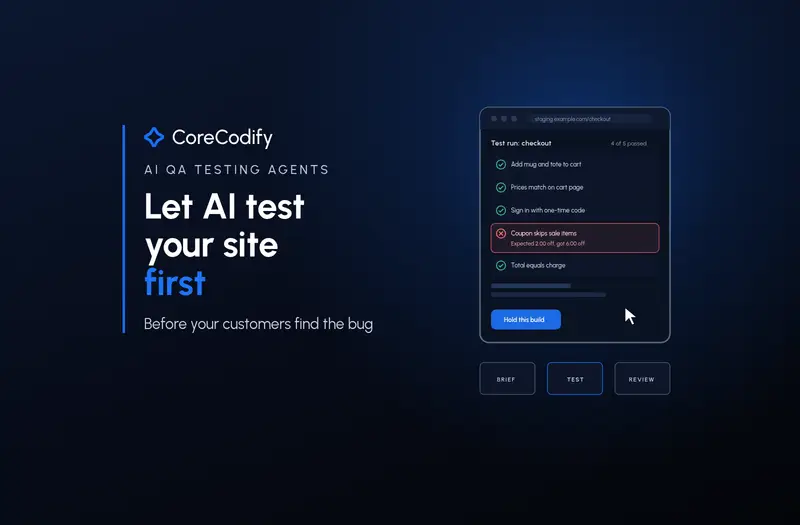
AI QA testing agents in 2026: letting AI test your website and app before customers do
Before your customers find the bug:
In one week of November 2026, three companies shipped AI agents whose only job is to use your website the way a customer would and tell you what broke. CodeRabbit put Verify into public beta on 18 November, TestSprite launched version 4.0 on 20 November, and Momentic's Mo had already left beta earlier in the month. Each one opens a real browser, signs in, clicks through flows and files bug reports with recordings. The pitch is easy to understand: coding agents now write more changes than anyone can check by hand, so let another agent do the checking. This article explains what these tools actually do, what independent research says about how often they are right, and how a small business or a small product team can put one to work without letting it buy things, email customers or quietly rewrite its own tests to pass.
What an AI QA agent is, in plain terms
An AI QA testing agent is a program that reads a description of how your site should behave, opens the site in a browser, performs the steps a visitor would take and judges whether the result matches what you described. Older test automation also clicked through pages, but a person had to write every step and every selector by hand, and the scripts broke whenever a button moved. The new agents plan the steps themselves, find buttons by what they look like and say, and try to separate a real bug from a test that simply went stale.
They are useful, and they are also less accurate than their launch pages suggest. The single biggest factor in how well they work is not which tool you pick but how clearly you write down what your site is supposed to do.
Three kinds of AI testing tool, and which one you are actually buying
The products launched this autumn look similar in demos, but they leave you with very different things at the end. It helps to sort them by one question: after the agent finishes, what do you own?
| Type | Examples | What you get | Best for | Watch out for |
|---|---|---|---|---|
| Agent writes ordinary test code into your repository | Playwright Test Agents (planner, generator, healer), unotest | Plain test files you review, commit and run in your own CI, with no vendor in the loop at run time | Teams with a developer who can read test code and wants to keep it | You pay for the model your coding tool uses, and someone still has to review every generated test |
| Hosted agent that keeps a regression suite for you | TestSprite 4.0, Zerocheck, KaneAI | A suite of approved tests, scheduled runs, pull request checks and recordings in the vendor's dashboard | Small teams without a QA engineer who want daily coverage of key flows | Your app, test accounts and screens are processed by the vendor; check what you can export |
| Exploratory bug-bash agent | Momentic Mo, CodeRabbit Verify on pull requests | A report of what passed, what broke and what was blocked, with reproduction steps and video | Checking a new feature or a risky change before release | No lasting suite unless you save the cases; cloud sessions may hold your secrets |
None of these is strictly better. A repository-first tool fits a developer who already runs tests on every push. A hosted suite fits a business owner who wants a red or green answer every morning. A bug-bash agent fits the moment just before a launch, when you want something to poke at everything once. Many teams will end up with two of the three.
The hard part is deciding what correct means
The most useful idea in this month's launch posts is not about AI at all. It is about where a test gets its right answer from.
TestSprite's launch post makes the case bluntly: "a test written from the code takes its right answer from the code. It reads what checkout does today and asserts that, bugs included. The test doesn't miss the bug. It protects it." CodeRabbit makes the same point in its Verify announcement, saying expected results come from intended behaviour, documentation and existing tests "so a new implementation doesn't get to define its own correctness."
Both companies illustrate this with coupon bugs, and both examples are worth reading because they are the kind of thing a small online shop really ships. In CodeRabbit's demo, a SAVE20 coupon on a $100 order showed the correct $80 total on the confirmation screen while the app still recorded a $100 charge. A test that only checked whether the coupon was accepted would have passed. In TestSprite's demo, two separate pull requests each passed their own checks: one made coupons skip sale items, the other replaced the sale tag with a crossed-out price. Merged together, the coupon could no longer see which items were on sale and discounted the whole cart. TestSprite says its suite, built from a ten-line spec that included the line "Items on sale are not eligible for coupons", caught it only after the merge.
These are vendor demos with planted bugs, not independent tests. But the lesson holds for any tool: an agent that only looks at the change in front of it will miss problems in parts of the site nobody touched. Claude Code's own documentation describes its bundled /verify skill as a way to "build and run your app to confirm a code change does what it should", which is valuable, and also exactly scoped to the change. A regression suite written from what the business wants is what catches the rest. (The code side of this problem, testing agent-written code before it merges, is covered in our post on agentic code quality.)
What independent research says about accuracy
Vendor numbers in this space are impressive and impossible to check. TestSprite says version 4.0 scored 94% on its own internal bug-finding benchmark, against 86% for Claude Code and Codex. Momentic says Mo found about 269 labelled bugs across four open-source apps, against about 86 for the next best agent. Glonce, which covered the Momentic launch, noted that the page does not say who graded the results or how the competing agents were configured, and concluded that "a third-party rerun would settle it."
Academic benchmarks paint a more sober picture. WebTestBench, from researchers at Northeastern University and Kuaishou Technology, asked computer-use agents to test 100 web applications end to end, first writing a checklist and then hunting for defects. No model reached an F1 score above 30%, and the authors report that most models had a precision of around 30%, meaning most of the defects they reported were not real. Their explanation will sound familiar to anyone who has watched a test fail at random: "transient UI rendering delays and asynchronous state updates are easily mistaken as functional failures."
A second benchmark, CATTest, from the University of Science and Technology of China and Meituan, gave agents 102 AI-generated web apps with carefully annotated bugs and let them write Playwright code to explore. The authors found that "no model can reliably uncover even half of the GT bugs while keeping its reports trustworthy", where GT means the known, labelled bugs.
Both papers also contain the most practical finding of all. When WebTestBench handed agents the correct checklist instead of making them invent one, the best F1 scores rose from the mid-20s to 49.2% for Claude Sonnet 4.5 and 46.8% for GPT-5.1. In CATTest, removing the short project document the agent was given cut its bug-finding score from 40.64 to 27.17. The agents are much better at checking a list than at guessing what the list should be. That is your job, and it is cheap to do.
Write the brief before you choose the tool
Every tool above accepts a plain-language description of how your site should behave, and the research says that description does more for accuracy than the choice of model. For a small business site, one page is enough. Write it the way you would brief a new employee who has never seen the business: what visitors come to do, what must happen when they do it, and the rules that are obvious to you but written nowhere.
The example below is illustrative, for a made-up local service business. It is the kind of brief you can paste into any of these tools, or into the request you give Playwright's planner agent.
Site: https://staging.example-clinic.com (staging only, never production)
Test account: [email protected] (password in the tool's secret store)
Payments: Stripe test mode only. Use card 4242 4242 4242 4242.

What visitors must be able to do:
1. Book a cleaning appointment on mobile and desktop.
   - Only Monday to Saturday, 9:00 to 17:00, shown in Pakistan time.
   - A booked slot must disappear for the next visitor.
   - Confirmation page shows the date, time and branch they picked.
2. Send the contact form.
   - Name, phone and message are required; email is optional.
   - Success message appears and the form clears.
3. Buy a gift voucher.
   - No delivery fee; the total shown must match the amount charged.
   - Code WELCOME10 takes 10% off vouchers only, never off memberships.

Rules that are easy to miss:
- Prices on the page, in the cart and on the receipt must all match.
- The Urdu page must link back to the same booking flow.
- No page may show a placeholder like 'Lorem ipsum' or '{{name}}'.

Do not:
- Send messages to real customers or real staff numbers.
- Change account settings for any account except the test account.
- Delete anything.
Notice what the brief does. It names the environment, the test account and the payment mode before anything else. It states expected outcomes, not just steps, so the agent can tell a pass from a fail. And it writes down the business rules, such as which products a coupon applies to, that an agent cannot infer by looking at the page. Momentic's own instructions for Mo ask for the same things: expected behaviour, test accounts, data rules, scope and actions to avoid.
The flows worth testing first on a small business site
Do not start by asking an agent to test everything. Start with the handful of flows where a silent failure costs you money or leads, because those are the ones nobody notices until a customer complains, or does not.
- The lead form actually arrives. The success message appearing is not enough; the agent or a scheduled check should confirm the message reaches the inbox or CRM you use.
- Booking and availability. Time zones, double bookings and slots that stay open after they are taken are classic bugs that look fine on a single visit.
- Checkout totals. Price on the product page, in the cart, after a coupon and on the final charge should all agree, which is exactly where both coupon demos above found their bugs.
- Sign-in, sign-up and password reset, including one-time codes. TestSprite says its agent can now sign itself in with one-time codes, which used to be a common reason automated tests stopped at the door.
- The mobile menu and sticky buttons. A menu that will not close or a bar that covers the last form field is a real bug for most of your visitors, even if every link works.
- Language and currency switches, if you have them, so a visitor who changes language does not land in a dead end.
- Old links and redirects after a redesign, because visitors and search engines still use the old addresses.
Five to seven flows like these, checked every day or on every change, will catch more of the bugs that matter to a small business than a sprawling suite nobody reads. Zerocheck's onboarding makes a similar recommendation: start with the flows you already check before shipping, or the one that broke last time, and add more one at a time.
Self-healing tests without self-deception
The feature every vendor advertises is healing: when a button moves or a label changes, the agent updates the test instead of failing it. This saves real maintenance time, and it is also where an AI tester can do the most damage.
Tacita Morway, chief technology officer at the testing company Applause, put the risk clearly in Applause's 2026 functional testing report: "an AI-powered system may optimize for completing the task – even if that means changing the test so it passes without actually checking the behavior it was supposed to test. Essentially, it changes its own rules." Her conclusion is that safe self-healing "has to understand the intent of the test, not just the automated steps."
The better tools now draw that line explicitly. Playwright's documentation says its healer agent replays a failing test, inspects the current page and patches it, and if it believes the feature itself is broken it can mark the test as skipped rather than forcing it to pass. Zerocheck says it "never changes an expected outcome to make a test pass" and labels a test as flaky if it only passed after a retry. TestSprite says a test's expectations change only with your approval.
Whatever tool you use, review healed tests with one simple rule. A change to how the test finds something, such as a renamed button or a new selector, is usually safe to accept. A change to what the test expects, such as a different total, a different message or a missing step, needs a human reason, because it may be hiding exactly the regression the test was written to catch. A skipped test from a healer is a bug report, not housekeeping.
Keep the agent away from real money, real customers and real secrets
An AI tester does what a curious visitor does, very fast and many times in parallel. That is the point, and it is also why it needs a fence.
In TestSprite's own invoicing demo, the agent paid for the app's Pro plan before writing a single test, to see what happened. The demo took no real payments, and the agent found a real bug: the account stayed on the free plan after paying. On your live site with a real card, the same curiosity would have been an actual purchase. Run agents against a staging copy or a preview deployment, which is how Mo and CodeRabbit Verify handle pull requests, and keep payment providers in test mode there.
Give the agent its own test accounts with no admin rights, and keep credentials in the tool's secret store rather than in the brief. Glonce pointed out that Mo's cloud sessions run with an organisation's MCP servers and secrets attached, "which is something security teams will want to review." The same applies to any hosted tester: find out where recordings are stored, how long they are kept, and whether screens with customer data could end up in them.
Two smaller problems catch people out. Agents that submit real forms can send emails or WhatsApp messages to real staff and customers, so point notifications at a test inbox on staging. And agents that visit a live site count as visitors in your analytics, so filter their traffic out or keep them on staging, or your conversion numbers will drift.
A first week with an AI QA agent
If you have never used one, this is a low-risk way to try it on a website or web app you already run.
- Write the one-page brief described above, with expected outcomes and the rules that are easy to miss.
- Set up a staging copy or preview deployment with test-mode payments, a test inbox and one or two test accounts.
- Pick one tool from the type that fits you: Playwright Test Agents if a developer wants tests in the repository, a hosted suite such as TestSprite or Zerocheck if you want a daily dashboard, or a bug-bash agent such as Mo before a launch. Several have free tiers or free betas, so cost is rarely the obstacle for a first trial.
- Run it on three flows only, for example the lead form, booking and checkout. Read every result, including the passes, and check a few by hand.
- Plant one bug on purpose on staging, such as a coupon that applies to the wrong product, and confirm the agent catches it. If it does not, improve the brief before you trust a green result.
- Decide what a failure triggers. A pull request check that blocks a merge, a daily report to one person or a ticket are all fine, as long as someone owns it.
- After a week, count real bugs found, false alarms and time spent reviewing. Keep the tool only if the first number is worth the other two.
The planted-bug step matters most. Both the WebTestBench and CATTest results show that a pass from an AI tester is weaker evidence than it looks, and the only way to know how much to trust your own setup is to test the tester.
What still needs a person
Surveys suggest that AI in testing is already the norm rather than the exception. Applause's 2026 report, based on an August 2026 survey, found that only 7.9% of respondents use no AI at all in testing. In Applause's survey a year earlier, 59.6% said they used AI in testing; now it is over 92%. The same report is a useful corrective to the hype: since bringing AI into development, only 26.4% of respondents had seen both the number and the severity of defects reaching production go down, and 86.1% said human involvement in functional testing remains extremely important.
Momentic's chief executive Wei-Wei Wu argued the opposite direction to SiliconANGLE when Mo launched: "Our bet is that there's no tests in the future. It's just agents verifying it themselves, based off of your instructions." Even in that vision, the instructions are still yours. An agent cannot know that your coupon should never apply to memberships, that a clinic does not open on Sundays or that a price looks wrong for your market unless someone tells it.
Agents are also weak at the judgments a customer makes in a second. TestSprite's own list of issues its agent found in its product included a delete confirmation that never said which list it would delete and a search that told users they had no lists at all. Those are good catches, and they also show the kind of thing that matters most to users: whether the page makes sense. Treat the agent as a tireless tester for the flows you have described, and keep a person responsible for deciding what good looks like, and for the occasional slow, curious click-through that no brief anticipates.
FAQ
Is an AI QA agent the same as AI code review?
No. Code review reads the changes in a pull request. A QA agent runs the finished website or app in a browser and checks whether real flows still work. They catch different bugs, and the coupon examples in this article are bugs that code review alone would miss because each change looked correct on its own.
Can I point an AI testing agent at my live website?
Read-only checks such as page loads, links and redirects are usually fine on a live site. Anything that submits forms, books, pays or changes data should run on a staging copy with test-mode payments and test accounts, because the agent will genuinely click buy and send.
Do I still need Playwright or another test framework?
Not for hosted or bug-bash agents, which run their own browsers. If you want tests you own and can run without a vendor, Playwright Test Agents and similar tools write ordinary test files into your repository, which you can keep even if you change AI tools later.
How accurate are AI testing agents in 2026?
Less accurate than vendor benchmarks suggest. In the independent WebTestBench study, no model passed an F1 score of 30% when it had to plan its own tests, and most reported defects were false alarms. Accuracy roughly doubled when agents were given a correct checklist, which is why a written brief matters so much.
What does it cost?
It varies widely. Playwright's agents are free and use whichever AI model your coding tool already pays for. TestSprite has a free plan with paid plans from $19 a month, Momentic offers $50 of free Mo usage a month, and CodeRabbit Verify test runs are free during its public beta. Check current pricing before you commit, because it changes often.
Sources
- TestSprite: Introducing TestSprite 4.0, a testing agent that remembers what your app should do (Yunhao Jiao, Nov 20, 2026)
- ACCESS Newswire: TestSprite 4.0 launches an independent testing agent (Nov 20, 2026)
- CodeRabbit: Introducing CodeRabbit Verify, agentic application testing and AI quality assurance (Nov 18, 2026)
- CodeRabbit docs: Verify availability and beta pricing
- Momentic: Mo, the AI QA engineer
- Glonce: Momentic takes its Mo AI QA agent out of beta (Nov 2026)
- SiliconANGLE: Momentic debuts Mo AI agent to automate software testing without scripts (Kyt Dotson, Sep 28, 2026)
- Playwright docs: Test Agents (planner, generator, healer)
- Claude Code docs: Extend Claude with skills (bundled /verify skill)
- Zerocheck: AI QA engineer for web apps (product page, updated Nov 7, 2026)
- unotest: AI-native E2E testing (released Nov 15, 2026)
- arXiv: WebTestBench, evaluating computer-use agents towards end-to-end automated web testing (Kong et al.)
- arXiv: Framework and benchmark for code-driven agentic testing in web development (CATTest, Hong et al.)
- Applause: The State of Digital Quality in Functional Testing 2026