
AI video ads in 2026: what small businesses can make (and should not)
Before you press generate:
A year ago, a small business that wanted video ads had two options: pay someone to shoot them or run still images and hope. In 2026 the ad platforms themselves will turn your product photos into moving clips, write and voice a script, and put a presenter on screen who has never met your product. That is a real opportunity for a bakery, a clinic, a Shopify store or a local service company with no production budget. It is also an easy way to make an ad that looks cheap, misleads people or breaks a labelling rule you did not know existed. This guide sorts AI video ads into the kinds you can make today, shows which tools Meta, Google and TikTok actually offer, explains when you must label the result, and ends with a small first test you can run in a week.
The short answer
Use AI video to multiply what you already have: real product photos, real footage, real offers. Turning a good still image into a short clip, cutting new hooks for a video that already works and making vertical versions are the low-risk wins. Fully invented scenes and AI presenters can work too, but they bring disclosure duties on every major platform and, in places such as the EU and New York, under the law.
The one line to avoid crossing: an AI person who pretends to be a real customer, or a scene that shows your product doing something it cannot do. That is not an AI problem so much as an old advertising problem that AI makes very cheap to commit.
Four kinds of AI video ad, from safest to riskiest
"AI video ad" covers very different things. Before choosing a tool, decide which of these you are actually making, because the effort, the likely quality and the rules change with each one.
1. Motion from your own stills
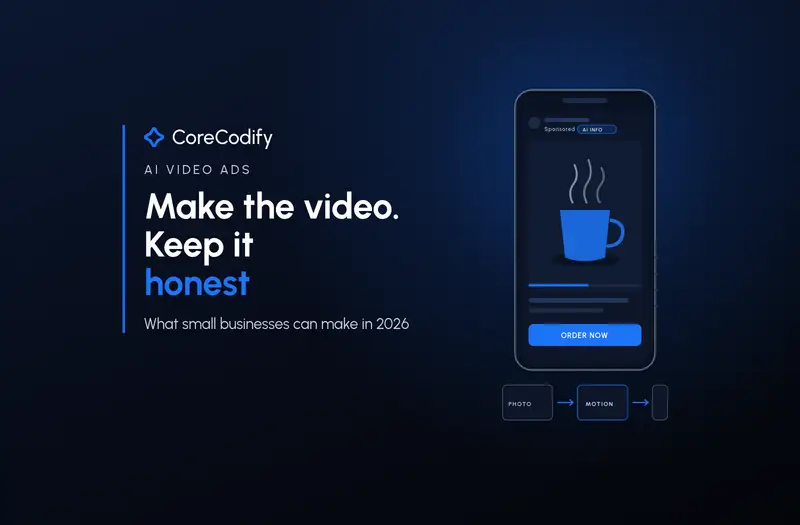
You upload product or shop photos and a tool adds camera movement, light changes or a simple action, such as steam rising from a coffee cup. The product stays your real product. This is what Meta's static-to-video feature and Google's Veo in Asset Studio are built for, and it is the easiest place to start.
2. AI edits of real footage
You film something real, even on a phone, and AI handles the rest: trimming, captions, new opening hooks, music, resizing to 9:16, translations and dubbing. The core of the ad is still true to life. Most platforms treat light edits like these as not needing a label, but voice cloning and changing what a person does or says are treated differently.
3. Generated concepts
A tool invents the whole scene from a text prompt or a few references: a family at a dinner table, a runner on a beach, a product spinning in a studio that does not exist. This is useful for testing ideas cheaply before paying for a shoot, but it is fully synthetic, so expect to label it, and check every frame for warped hands, text and product details.
4. AI presenters and avatars
A realistic person, stock or custom-built, speaks your script to camera. These can be useful for explainers and translated versions. They are also the category regulators care about most, because viewers can mistake the presenter for a real person giving a real opinion.
What the big ad platforms will make for you right now
You do not need a separate subscription to try AI video. All three of the platforms most small businesses advertise on now generate video inside the ad tools, and the status of each feature matters, because some are fully available and some are still betas that may not appear in your account.
| Platform | Tool | What it does | Status |
|---|---|---|---|
| Meta (Facebook, Instagram) | Advantage+ creative video generation | Turns existing static ad images into video | Generally available (announced Oct 6, 2026) |
| Meta | Ads Creative Studio | Shows which creatives work, generates video concepts and lets you change hooks, audio, clip length, captions, overlays and end scenes | Rolling out to more advertisers |
| Meta | Catalog product video | Turns catalog product images into product videos at scale | Beta for eligible advertisers |
| Google (YouTube, Demand Gen) | Veo in Asset Studio | Up to three images in, a clip of up to 10 seconds from each, packaged with ad templates | Available for all campaign types since March 2026 |
| TikTok | Symphony Creative Studio and Symphony Agent | Image to video, text to video, avatars, translation and dubbing; Seedance models for longer clips | Available; newest Seedance features rolling out by market |
Meta's reasoning is simple: the company says more than 60% of the time people spend on Facebook and Instagram is with video, and it wants advertisers who only have photos to compete there. At Advertising Week New York it said advertisers and agencies "can now generate video from existing static assets, a feature that is now generally available."
Google's pitch for Veo is similar. Upload up to three static images, and Veo produces a clip of up to 10 seconds from each, which you can drop into ready-made templates for YouTube formats. Google also says its own data shows Demand Gen campaigns with at least three unique videos are more effective at lifting brand consideration and purchase intent, which is a hint about how the system wants to be fed: variety, not one hero video. Ameet Khabra, founder of Hop Skip Media, tested it early and told Search Engine Land: "Consumer product brands with clean imagery and inherent motion logic will get the most out of this." A product that naturally moves, pours, opens or spins will animate better than a tax consultancy's office photo.
TikTok has moved fastest on length and control. On November 9, 2026, it said Symphony now accepts up to 50 reference images, videos and audio files, up from nine, and that the latest Dreamina Seedance models can generate up to 30 seconds per prompt instead of 15. It also said that "starting November 9, advertisers outside North America can purchase BytePlus tokens to access Dreamina Seedance AI models through Symphony." The announcement does not give a token price, so check the cost in your own account before you plan around it.
Labels: what each platform does for you, and what it leaves to you
The good news is that if you generate a video inside a platform's own tool, the platform usually handles the disclosure. The catch is that videos made elsewhere, in a standalone generator or by a freelancer, are your responsibility to declare.
- Meta applies an "AI info" label to ads created or significantly edited with its generative AI tools. Most of the time the label sits under "About this ad" in the three-dot menu, but when the result includes an AI-generated photorealistic person, Meta says the label appears next to "Sponsored" on the ad itself. Since June 1, 2026, Meta also detects ads made with third-party AI tools through industry-standard signals such as C2PA metadata and labels those too. Minor changes, like resizing or colour correction, are not labelled.
- Google Ads adds a disclosure automatically to the "How this ad was made" section of My Ad Center when you use its own generative tools, and embeds invisible SynthID watermarks and C2PA metadata in images and videos made there. For assets made elsewhere, there is an AI label setting you apply per asset. Google lists the EU, India, New York, California, South Korea and Vietnam as places where regulations require some AI ads to carry disclosures, and it says labels placed directly in your creative will not breach its rules against text overlays and watermarks.
- YouTube asks separately. If you upload a video to YouTube from inside Google Ads, you will be asked whether AI was used to generate or edit it, under YouTube's rules for realistic content. One of YouTube's own examples of something that needs disclosing is AI-generated extra footage of a real place for a promotional travel video.
- TikTok says Symphony content is automatically labelled as AI-generated. For AI content made anywhere else, its ads policy requires TikTok's AI label or your own clear disclaimer, caption, watermark or sticker when the content is "significantly modified by AI", which it defines as including content that is completely AI-generated, "showing the primary subject doing something they didn't actually do" and "making the primary subject say something they didn't actually say, using AI voice-cloning." Undisclosed AI content can be rejected or restricted.
Do not assume the system will catch it for you, either way. In March 2026, The Verge's Jess Weatherbed documented Samsung ads on TikTok that carried no AI disclosure even though videos from the same campaign were labelled on YouTube, and a UK car retailer's ads that only gained an "advertiser labeled as AI-generated" tag later. Large brands with legal teams got this wrong. A small business that uploads an MP4 from a third-party generator with its metadata stripped should declare it manually every time.
Where the law is ahead of the platforms
Platform labels are a policy choice that can change. Some disclosure duties are now law, and they apply to the business running the ad, not just to the tool that made it.
- European Union. Article 50 of the AI Act has applied since August 2, 2026. Businesses that use AI systems professionally must clearly label deepfakes, which covers realistic AI images, audio or video that could pass as real. The European Commission notes that fines can reach 15 million euros or 3% of worldwide turnover, with proportionality for small and medium-sized businesses. Content made before August 2, 2026, does not have to be labelled retroactively. If your ads reach people in the EU, treat a realistic AI scene or presenter as something that needs a visible label.
- New York. Since June 9, 2026, anyone producing a commercial ad that knowingly includes a synthetic performer, a digitally created person meant to look like a real human, must disclose it conspicuously. Governor Kathy Hochul said at the time: "Requiring simple, honest disclosure when an ad uses synthetic performers protects consumers, respects our creative workforce and keeps New York at the forefront of responsible innovation." The law sets penalties of $1,000 for a first violation and $5,000 for each later one.
- Fake testimonials, everywhere in the US. The Federal Trade Commission's rule on consumer reviews and testimonials, in force since October 2024, prohibits testimonials that misrepresent that they come from someone who does not exist or who has not actually used the product. An AI avatar saying "I tried this and it changed my skin" is exactly that, whether or not it carries an AI label.
- California. The IAB notes that California's SB 942, which introduced metadata and labelling requirements for generative AI providers, took effect on August 2, 2026. It mainly binds the big tool makers, but it is one reason the videos you download from major generators increasingly carry provenance data that platforms can read.
None of this is legal advice, and rules differ by country. The practical takeaway for a small business is that a visible "Made with AI" or "AI-generated presenter" line costs you almost nothing, while leaving it off can cost an ad account or a fine.
Will customers mind? What the research says
The industry is more excited about AI ads than the audience is. In a January 2026 study with Sonata Insights, the IAB found that 82% of ad executives believe Gen Z and Millennial consumers feel positive about AI-generated ads, while only 45% of those consumers actually do. The gap widened from 32 points in 2024 to 37 points in 2026, and 71% of the consumers surveyed believed they had seen an AI-made ad, up from 54%.
The same research points to a way through. More than half of respondents wanted brands to disclose when an ad was fully AI-generated or used AI images or video, and 73% said clear disclosure would increase or have no effect on their likelihood to buy. In other words, the label is not the thing that loses the sale. A video that feels fake or careless is.
The IAB's updated disclosure framework, published in August 2026, also warns against labelling everything. "Not every use of AI needs a label — labeling everything teaches consumers to ignore labels and could negatively impact advertisers," said Caroline Giegerich, the IAB's VP of AI. Its list of uses that do warrant disclosure includes videos generated from prompts, synthetic avatars and some synthetic voices. Captions, cropping and colour fixes are not on it.
A shot brief you can reuse for every AI video
Most poor AI ads come from vague prompts and no review. Writing a short brief before you generate anything forces the decisions that matter: what is real, what is invented and who checks it. The example below is illustrative, for a fictional bakery, not a real campaign.
Business:      Corner bakery, one location, delivery in 5 km
Goal:          Weekend pre-orders for the new cardamom bun
Source assets: 3 real photos of the bun (shot in-store), logo, price card
AI job:        Animate photo 1 (steam, slow push-in), photo 2 (tear apart)
Format:        9:16, 3 versions x 8-10 s, captions on, no voiceover
Hook options:  A) price first  B) close-up first  C) "Ready Saturday 8 am"
Must stay true: real bun size, real price, real colour, real packaging
Not allowed:   AI people, AI customer quotes, invented awards or reviews
Label:         Platform label on; add "Animated with AI" if made elsewhere
Reviewer:      Owner watches every version at full size before upload
Your first test, step by step
You do not need a big budget to learn whether AI video works for your business. You need a fair comparison and a few days of patience.
- Pick one product or offer that already sells, and an ad that already runs with a still image. That still image is your control.
- Make two or three short AI versions from the same real photo with the platform's built-in tool, such as Advantage+ static-to-video on Meta or Veo in Google's Asset Studio. Keep the offer, price and landing page identical to the control.
- Watch every version full screen on a phone. Reject anything where the product changes shape, text melts, labels are misspelled, or hands and faces look wrong. Do not let a tool's automatic enhancements publish without you seeing them.
- Check the label. If you made the video inside the platform, confirm the disclosure exists. If you made it elsewhere, switch on the platform's AI label setting or add a short on-screen line.
- Run the still and the videos side by side in the same ad set or campaign for at least a week, with a modest daily budget you can afford to lose.
- Judge on the result you actually want, such as orders, bookings or leads at a cost you can live with, not on views or clicks alone. Video often wins on attention and loses on sales; your numbers will tell you which applies to you.
- Keep what works and record what you learned, including which hooks and lengths won. Next round, try one new variable at a time.
What not to make, even if the tool lets you
- AI "customers" giving testimonials. Use real reviews with permission, or no testimonial at all.
- Anyone real without written consent, including your own staff. A cloned face or voice is the clearest case of showing someone doing or saying something they did not.
- Product shots that exaggerate. If the AI makes your burger taller, your room bigger or your skincare result smoother than reality, that is a misleading ad, whatever the label says.
- Health, finance, legal or before-and-after claims voiced by an AI presenter. These categories already carry strict ad rules, and a synthetic expert makes them worse.
- Videos with no human review. Generated text in a frame, prices and dates are where AI most often slips, and they are the details customers act on.
If your brand look matters as much as speed, keep the important creative made or directed by people and use AI for the volume around it: resizes, alternative openings and test versions. Our earlier guide on AI and brand identity covers where generative tools help a brand and where they quietly flatten it.
FAQ
Are AI video ads allowed on Facebook, Instagram, YouTube and TikTok?
Yes. All three platforms now offer their own AI video tools for advertisers. Ads must still follow normal advertising policies, and fully AI-generated or significantly AI-altered content must be labelled, either automatically by the platform or by you.
Do I have to label an AI video ad?
If the video was made with the platform's own generative tool, the platform usually adds a label for you. If it was made elsewhere and is fully generated or shows realistic people or events that are not real, you should switch on the platform's AI label or add a visible disclosure. In the EU and New York, some of these disclosures are legal requirements.
What is the cheapest way for a small business to try AI video ads?
Start with the built-in tools: Meta's Advantage+ static-to-video, Google's Veo in Asset Studio or TikTok Symphony. They turn photos you already have into short clips at no extra production cost. Compare the results against an existing still-image ad before spending more.
Can I use an AI avatar as a spokesperson?
You can use licensed stock or custom avatars for explainers or translated versions, but disclose them, and never present an avatar as a real customer or expert who used your product. In the US, that would breach the FTC's rule on fake testimonials.
Sources
- Meta for Business: AWNY 2026, new AI capabilities to guide campaigns and reach customers (Oct 6, 2026)
- Meta Business Help Center: About Ads Creative Studio
- Meta: Expanding GenAI transparency for Meta's ads products (updated Jun 1, 2026)
- Google: Veo in Google Ads (Accelerate with Google, March 2026)
- Search Engine Land: Google brings its Veo video generation model to Google Ads globally (Anu Adegbola, Mar 27, 2026)
- Google Ads Help: Use AI content label settings and disclosures
- Google Ads Help: About video ad specs (AI label section)
- YouTube Help: Disclosing use of GenAI content
- TikTok Newsroom: Meet our latest Symphony generative AI tools
- Social Media Today: TikTok updates its AI video ad tools (Andrew Hutchinson, Nov 9, 2026)
- The Verge: Why can't TikTok identify AI generated ads when I can? (Jess Weatherbed, Mar 28, 2026)
- European Commission: Transparency obligations under Article 50 of the AI Act (FAQ)
- Governor of New York: Law requiring disclosure of AI-generated synthetic performers in ads is in effect (Jun 9, 2026)
- New York State Senate: General Business Law section 396-B
- Federal Register: FTC Trade Regulation Rule on the Use of Consumer Reviews and Testimonials (Aug 22, 2024)
- IAB: The AI Ad Gap Widens (Jan 15, 2026)
- IAB: Updated industry framework for AI transparency and disclosure in advertising (Aug 18, 2026)