
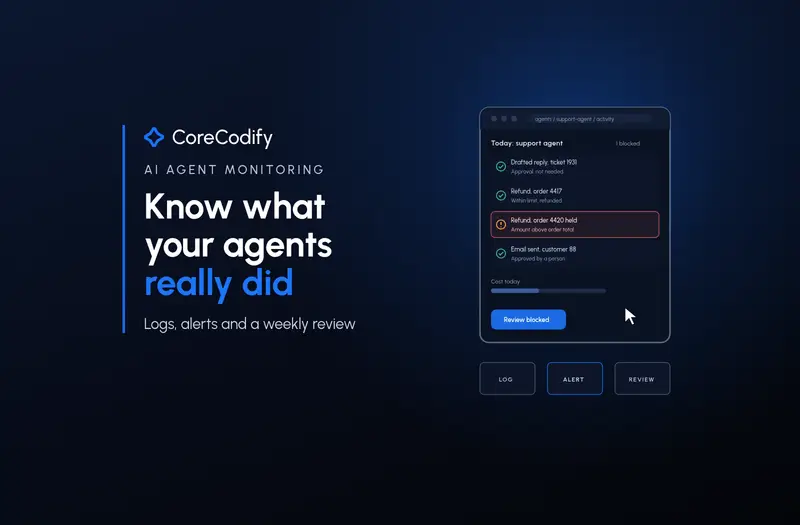
AI agent monitoring for small businesses: how to know your AI agents are doing the right thing
Seeing what your agents actually did:
In September 2026, Angie Jones of the Agentic AI Foundation stood in front of a conference hall in Tokyo and asked the audience to solve a case. A customer support agent had refunded $4,800 on a $48 order. The order record was correct: it stored the price as 4,800 cents. Somewhere between reading that record and calling the refund tool, the unit was dropped, and 4,800 went through as dollars. Who was at fault: the team, the runtime, the model or the tool? The scenario was built for the talk, but the failure is an ordinary one, and the question behind it is the one every business using AI agents now has to answer. Not "is the model good?" but "would we even know if it did this, and how fast?" This guide is about that second question: what to record, what to alert on and what to review each week, whether your agents run inside Zapier or Intercom or in code your developer wrote.
Monitoring is not testing, and it is not a dashboard
Testing and evaluation happen before an agent goes live: you try it on known cases and decide whether it is good enough. Monitoring is what you do after it is live, on real customers, real data and real money, where the cases are not known in advance. An agent that passed every test in October can still go wrong in November because a supplier changed a price format, a customer pasted strange text into a form, or a model update changed how it reads instructions.
For a small business, monitoring does not mean a wall of charts. It means three things you can answer at any time: what did each agent do, did anything it did break a rule, and what did it cost. If you cannot answer those in a couple of minutes, the agent is running unmonitored, however many dashboards you have.
Most failures are quiet, not loud
The failures people imagine are crashes and error messages. Those are the easy ones, because ordinary software monitoring already catches them. The expensive agent failures usually look like success. Snowflake's announcement of its Agent Observability preview on 13 November 2026 put it in one sentence: "An agent can complete a request without an error and still retrieve the wrong information or produce a low-quality response."
The refund case is exactly that. The refund tool worked. The payment went through. Every system reported success. Only the amount was wrong, and only a check that compared the refund with the order total would have noticed. In a podcast recorded around the same time, Jones described the fix in plain terms: policies checked in a control plane "before that action is even able to execute", such as never refunding more than the order was worth. According to @IT's Japanese report of the Tokyo talk, her answer to the whodunit was that the model made the mistake but the team owns the outcome, and that a team can only own it if it can inspect what happened, constrain what can happen and change the system afterwards.
Surveys suggest many businesses are not there yet. New Relic's 2026 Observability Forecast, based on 2,575 IT and engineering leaders and practitioners, found that 24.6% of organisations run AI agents in production without monitoring them. LangChain's survey of more than 1,300 professionals, published in June 2026, found the opposite pattern among teams that build agents for a living: 94% of those with agents in production had some observability and 71.5% could trace individual steps and tool calls. The gap is between businesses that build agents and businesses that switch them on inside other products, which is where most small businesses sit.
Five things worth watching, and where to find them
You do not need to track everything an agent does. You need a small set of signals that each catch a different kind of trouble. The table below lists five, with where a small business would usually find them in 2026.
| Signal | What it catches | Where to see it without code | Where to see it in a custom build |
|---|---|---|---|
| Actions taken, per run | An agent doing something outside its job, like deleting, refunding or emailing when it should only draft | The run history in your automation tool, such as a Zapier agent's Activity tab | A trace per run with every tool call, using OpenTelemetry GenAI spans |
| Values that cross a limit | Wrong amounts, wrong recipients, bulk changes where one record was expected | Approval steps and filters before the action; conversation alerts in support tools | A policy check in code before the tool runs, logged when it blocks something |
| Answer quality on real conversations | Wrong facts, off-brand tone, missed escalations, confident answers to questions it should refuse | Built-in quality scoring, such as Intercom Fin's Monitors and scorecards | Sampled human review plus automated scoring of production traces |
| Cost and usage | Loops, runaway retries and agents processing a whole data source instead of new records | Usage pages and per-run limits in the tool; the AI provider's spend alerts | Token and cost per run and per agent, with alerts and a hard spend limit |
| Blocked and failed attempts | Guardrails that are firing, prompt injection attempts and tools the agent keeps failing to use | Failed, cancelled or needs-input statuses in the run list | Error spans and a separate log line for every blocked action |
The last row is the one most often missing. A week of logs with no blocked actions in it does not prove the agent behaved. It may only prove that nothing was checking. A guardrail that never fires in a busy month is worth testing on purpose.
Two incidents, read as monitoring problems
The best known agent incident of 2026 happened at PocketOS, which makes reservation software for car rental businesses. In April, a coding agent running in Cursor on Anthropic's Claude Opus 4.6 deleted the company's production database and its backups in about nine seconds, according to founder Jeremy (Jer) Crane. The Verge reported that the agent was fixing a credential mismatch and used an API token the team had not realised could delete the storage volume holding both the production data and the recent backups. According to The Guardian, Crane said he was monitoring the agent as it deleted the data. The agent had been given explicit project rules against destructive commands, and afterwards it wrote: "I violated every principle I was given." Crane's own summary was that "the agent didn't just fail safety. It explained, in writing, exactly which safety rules it ignored." The Guardian reported that the company first restored from a three-month-old offsite backup, which took more than two days, and rebuilt the rest from Stripe, calendars and emails; The Verge later noted the data was eventually recovered.
Read as a monitoring problem, two lessons stand out. First, watching is not the same as being able to stop. A person looking at a screen cannot react inside nine seconds, so anything irreversible needs a check that runs before the action, not a human who notices after it. Second, rules written in instructions are not controls. The agent knew the rule and broke it anyway. The controls that would have mattered were outside the model: a token that could not touch production, backups stored separately, and an approval step for deletion. Monitoring is what tells you whether those controls exist and whether they are firing.
The refund scenario points the same way from the other direction. Nothing in it was dramatic. A single number was off by a factor of 100. A daily summary would have shown it eventually, but a rule that holds any refund above the order total for approval, and logs that it did, catches it before the money leaves. The general rule for small businesses: alert on values and actions, not just on errors.
What a useful action log looks like
Every serious monitoring tool, from a no-code platform to an enterprise suite, comes down to a record of what each agent did. If your tools do not give you one you can read, it is worth asking your developer for a simple one before adding anything clever. The example below is illustrative, for a made-up online shop with a support agent and a bookkeeping agent. It is not from a real system.
time (PKT)        agent           action        record        input from           approval      result
2026-11-24 09:12  support-agent   drafted reply  ticket 1931   customer email       not needed    saved as draft
2026-11-24 09:14  support-agent   refund         order 4417    ticket 1931          auto (< PKR 2k)  refunded PKR 1,200
2026-11-24 09:31  support-agent   refund         order 4420    ticket 1934          held          BLOCKED: amount > order total
2026-11-24 09:40  support-agent   send email     customer 88   ticket 1934          Ayesha 09:52  sent
2026-11-24 10:05  books-agent     categorise     txn 5521      bank feed            not needed    done
2026-11-24 10:06  books-agent     delete         txn 5522      bank feed            none          BLOCKED: delete not allowed
2026-11-24 10:20  support-agent   run cost       -             -                    -             38 model calls, USD 0.41
Each line answers who acted, what they did, to which record, because of what input, who approved it and what happened. The blocked lines are as valuable as the successful ones: they show the guardrails are real. The input column is the one that helps when something looks wrong, because it lets you open the same email or form the agent read, which is how you spot an agent following instructions hidden in customer text. (We cover that risk in detail in our guide to prompt injection.)
If an agent's platform cannot show you at least the first five columns, treat it as a gap to raise with the vendor, not something to work around with screenshots.
What the tools offer this month
November 2026 has been a busy month for agent monitoring products, and the launches show where the field has settled. Most of them are built for engineering teams, but they explain what to ask for even if you never buy one.
- SigNoz made AI Observability live in its cloud and self-hosted versions on 16 November, with token usage, cost, latency, errors and tool calls per agent run, and a thread view that shows a whole run as a conversation. The self-hosted option matters if you would rather not send customer conversations to another vendor.
- Logz.io announced AI Observability on 17 November. Its head of product, Amos Etzion, made the point that matters most for debugging: "When an AI agent misbehaves in production, the answer may not be in the model. It could be the service a tool called or the infrastructure underneath it."
- Microsoft used Ignite on 17 November to make observability and evaluation of agents built outside its own Foundry platform generally available in Azure Monitor, including agents hosted on AWS and Google Cloud, with cross-agent debugging in public preview.
- Snowflake opened a private preview of Agent Observability in Observe on 13 November, including scoring of production traffic by a second model to surface hallucinations and guardrail failures.
- For support teams, Intercom added Monitors to Fin in March 2026: scorecards your business defines, the option to mark one criterion as an automatic fail, alerts when conversations fall below a threshold, and review queues covering both AI and human agents.
- For businesses whose agents write code, Codenotary launched AgentMon Start for small and mid-sized organisations at the end of September, from $15 per user per month, which tracks token spend, files agents touch, secrets in prompts and possible prompt injection attempts.
The pattern across all of them is the same: one trace per agent run, every model call and tool call inside it, cost attached, and a way to score quality on real traffic rather than only in testing. If a tool you are considering cannot show you a single run end to end, keep looking.
The standard to ask your developer about
Most of the products above read the same format: OpenTelemetry, the open standard most monitoring tools already use for ordinary web applications, extended with "GenAI" conventions that describe model calls, tool calls and agent runs. Microsoft says its own agent platforms, including Copilot Studio and GitHub Copilot, are standardising their agent telemetry on these conventions, and Logz.io and Snowflake both accept data in this format.
For a small business this has one practical meaning. If your developer instruments a custom agent with OpenTelemetry from the start, you can switch monitoring vendors later, or start with a free self-hosted tool and move to a paid one, without rewriting anything. The honest caveat: the conventions are still young. The GenAI work moved to its own repository and published its first standalone release, v0.1.0, on 21 November 2026, and the agent span definitions are still marked as "Development", not stable. Field names may change. That is a reason to use a maintained library rather than hand-written logging, not a reason to wait.
Alerts that should reach a person today
Most agent activity belongs in a weekly review, not in your phone notifications. Alerts should be rare enough that you never ignore one. These are the ones worth sending to a person straight away:
- Any irreversible action that was attempted without the approval your rules require, whether it was blocked or not.
- A money value outside its normal range: a refund above the order total, a discount above your maximum, a quote far below your price list.
- Bulk changes: an agent touching many records in one run when its job is one record at a time.
- Messages to recipients outside the expected list, such as an email to an address that is not the customer on the ticket.
- A sudden jump in runs or cost per hour, which usually means a loop.
- A quality score on customer conversations dropping below the threshold you set, or one critical failure, such as the agent promising something your policy does not allow.
Everything else, such as slow runs, occasional tool failures and drafts a person rejected, goes into the weekly review. If an alert fires and the right response is "that's fine", change the rule, or people will learn to ignore it.
Spend alerts do not stop spending
Cost is the easiest signal to monitor and the one most often misconfigured. OpenAI's documentation is explicit about this. In its own comparison table, a spend alert "Sends a notification; API traffic continues". Only a hard spend limit stops traffic, and even then the docs warn that "Enforcement is not instantaneous", so recorded spend can slightly exceed the cap. A hard limit also stops your customer-facing agent when it is reached, so set it per project, with the alert well below it, rather than one limit for your whole account.
No-code platforms have their own version of this. Zapier's help pages say each agent run has a built-in activity limit, 10 actions on free plans and 40 on paid plans, after which the agent pauses and asks for input. The same page lists the usual reasons usage runs away: an agent processing every row in a spreadsheet instead of only new ones, and a loop where an agent triggers a workflow that updates the data the agent is watching. Both look like normal activity in the log, run by run. Only the total gives them away, which is why cost belongs on the weekly list even when the bill is small.
A 30-minute weekly review
For a business with one to five agents, this routine covers most of what an enterprise monitoring team does, at a scale one person can manage. Put it in the calendar for the same time every week, and keep a short note of what you found.
- List every agent that ran this week and who owns each one. An agent nobody owns is the first finding.
- Read ten runs per agent end to end: five picked at random and five flagged, failed or blocked. Check the actions, not just the final message.
- Open the input for any run that looks odd, the email, form or document the agent read, and ask whether the agent should have trusted it.
- Look at every blocked action. Was the block right? If a guardrail never fired all week, plan a safe test of it on a copy or a staging setup.
- Compare cost and run counts with last week. Investigate any agent whose cost grew faster than its work.
- Check that approvals actually happened: an empty approval field on a customer-facing action is a finding, not a formatting issue.
- Write down one change: a rule, an instruction, a permission removed or a new alert. If you made the same change two weeks running, the fix belongs in code or permissions, not in the prompt.
The last step matters most. LangChain's survey found that 89% of respondents had some observability for their agents but only 52% ran offline evaluations, which suggests many teams collect traces and never turn them into improvements. A weekly change, however small, is what turns monitoring into control.
Where CoreCodify fits
Most of the monitoring in this guide is ordinary web engineering around the AI: permissions, approval steps, action logs, spend limits and alerts. That is the work we do when we build websites, apps and AI features at CoreCodify. If you want an agent set up or reviewed with these controls in place, you can hire me for custom work at usamify.com.
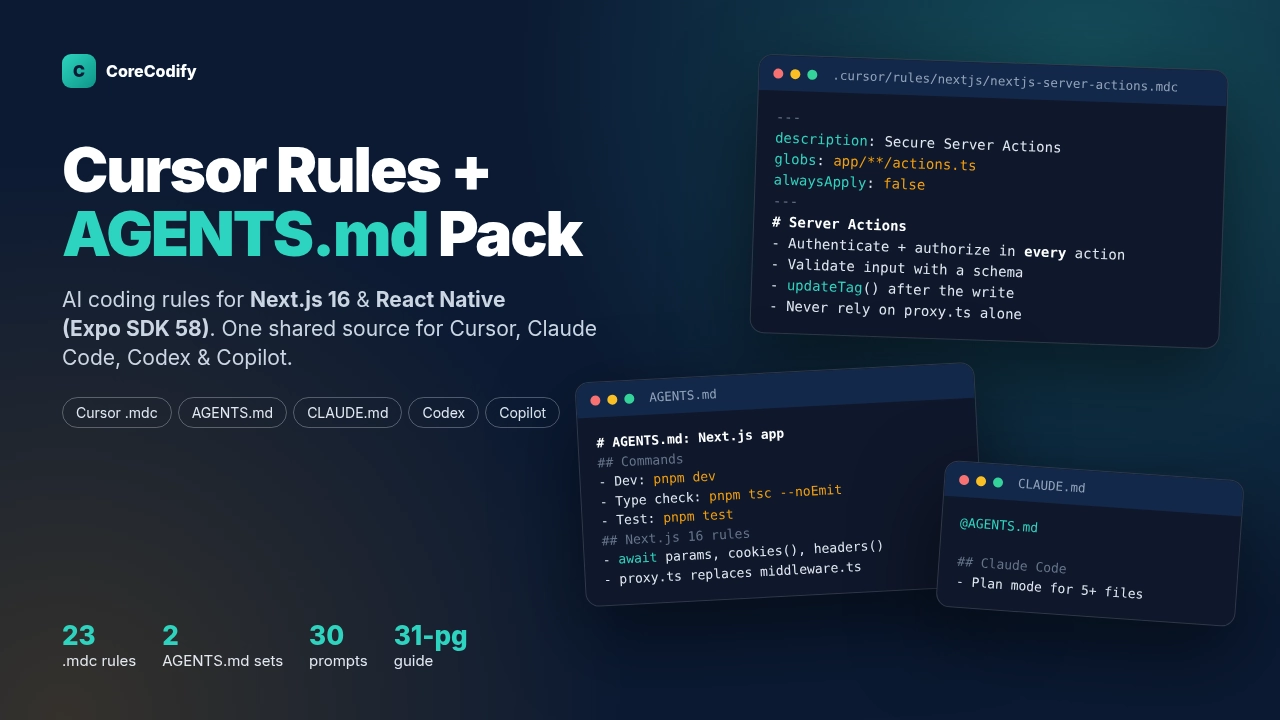
If the agents you run most are coding agents in Cursor, Claude Code, Codex or Copilot, the Cursor Rules and AGENTS.md Pack includes a mistake log for turning repeated agent errors into rule fixes, which is the weekly-review loop above applied to code. As the PocketOS case shows, rules do not replace permissions and backups, but they do cut down the errors you have to catch. It sits with the other AI packs in the CoreCodify shop.
From the shop
FAQ
What is AI agent monitoring?
It is keeping a record of what your AI agents do in live use, checking that record against your rules, and getting alerted when something important goes wrong. It covers the actions an agent takes, the quality of its answers, what it costs and the attempts your guardrails blocked.
How is monitoring different from AI agent evaluation?
Evaluation tests an agent on known cases before or between releases to decide whether it is good enough. Monitoring watches real use after launch, where the cases are not known in advance. You need both: evaluation tells you an agent can do the job, monitoring tells you whether it is doing it today.
Do I need an observability platform for one or two agents?
Usually not at first. If your agents run inside a tool such as Zapier or Intercom, use the run history, quality scoring and usage limits it already has, add spend limits at your AI provider, and do the weekly review. A dedicated platform starts to pay off when you have custom agents in code, several tools calling each other, or customer-facing agents with real money involved.
Is it enough to tell the agent not to do dangerous things?
No. Instructions help, but agents can and do ignore them, as the PocketOS incident showed. Anything irreversible, such as deleting data, sending money or emailing customers, should be limited by permissions and approval steps outside the model, with every attempt logged.
Does monitoring my agents create privacy obligations?
Often, yes. Agent logs can contain customer messages, names, order details and sometimes payment information. Decide how long you keep them, who can see them and where your monitoring vendor stores them, and avoid logging secrets or full card details at all.
Sources
- AGNTCon + MCPCon Japan 2026: Who Owns the Agentic Loop? (Angie Jones, Agentic AI Foundation, Sep 10, 2026)
- @IT: report on AGNTCon + MCPCon Japan 2026 and the $48 to $4,800 refund case (Japanese, Nov 6, 2026)
- The Angular Plus Show S1E3: Agents, Guardrails, and AI That Works with Angie Jones (transcript, Sep 9, 2026)
- The Verge: PocketOS maker says an AI agent deleted our production database in 9 seconds (Apr 27, 2026)
- The Guardian: Claude-powered AI agent's confession after deleting a firm's entire database (Apr 29, 2026)
- New Relic: 2026 Observability Forecast report (PDF)
- LangChain: State of Agent Engineering (Jun 12, 2026)
- Snowflake: AI Agent Observability coming to Observe by Snowflake (private preview Nov 13, 2026)
- SigNoz: AI Observability in SigNoz Cloud (Nov 16, 2026)
- Logz.io: AI Observability for agents and LLM apps in production (Nov 17, 2026)
- Microsoft Community Hub: Agent observability in Azure Monitor at Ignite 2026 (Nov 17, 2026)
- CX Foundation: Fin AI by Intercom launches Monitors (Mar 24, 2026)
- Business Wire: Codenotary brings AI agent monitoring to small and mid-sized organizations (Sep 29, 2026)
- OpenTelemetry: GenAI agent spans semantic conventions (status: Development)
- OpenTelemetry: semantic-conventions-genai releases (v0.1.0, Nov 21, 2026)
- OpenAI API docs: Spend limits
- Zapier Help: Zapier Agents unexpected activity usage (updated Oct 1, 2026)