
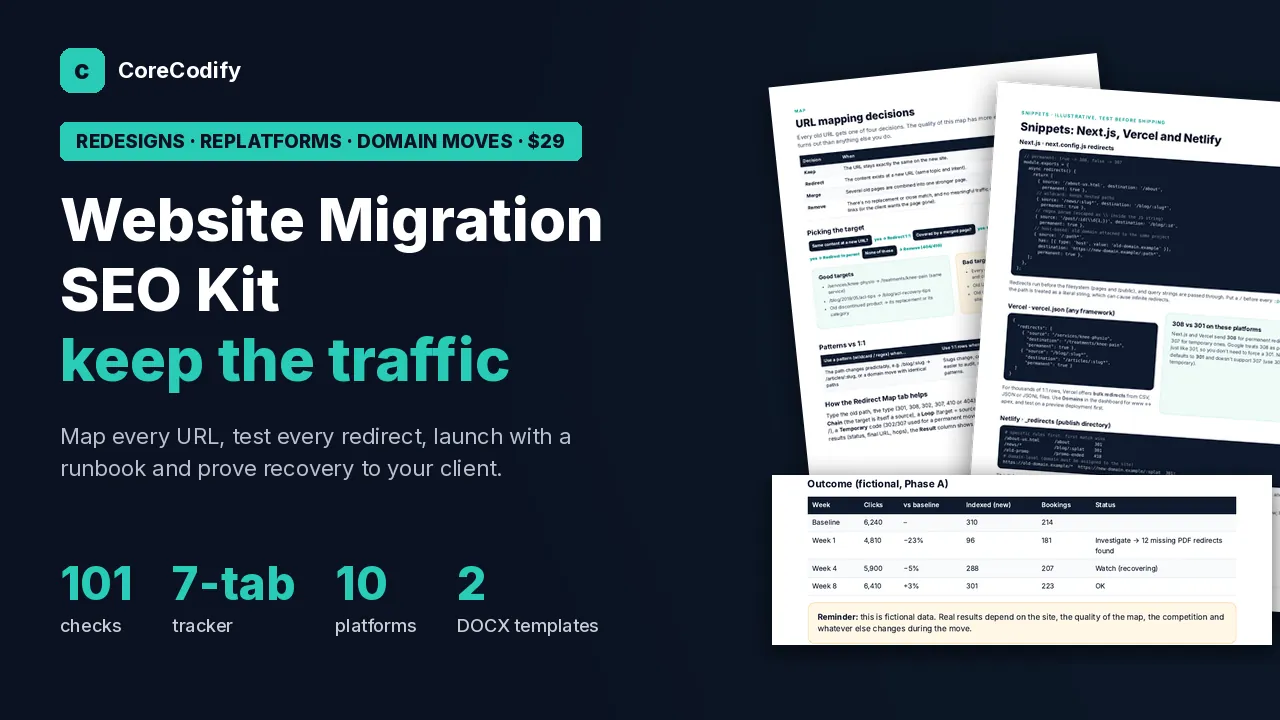
Website Migration SEO Kit: Redirect Map, Pre & Post-Launch Checklist, Tracker & Client Report
$29
A step-by-step process for moving a client site to a new platform, URL structure or domain while protecting its search traffic, with a redirect map that checks itself.
Need custom work? Hire me at usamify.com.
About this product
A redesign, rebuild or domain change is where a client site most often loses its rankings. Old URLs start returning 404, redirects chain into each other, a staging noindex tag goes live, and nobody looks at Search Console for weeks. This kit gives you one process from the first crawl to the report in week 12.
It works for WordPress, Next.js, Webflow, Framer, Shopify and plain server setups.
What you get
A 29-page PDF guide. It covers what Google says about site moves, the types of migration and their risks, planning and timing, building a crawl inventory and a baseline, deciding how each URL maps, and writing redirect rules. It has redirect snippets for 10 platforms, the full checklist, a staging audit, a launch-day runbook from 48 hours before to 48 hours after, testing redirects in bulk, monitoring after launch, working out why traffic dropped, a rollback plan, talking to the client, and how to sell migration SEO. A worked example on a made-up physio clinic runs through the whole thing.
A tracker spreadsheet with 7 tabs. The URL inventory fills in each page's tier and whether it is in the redirect map. The redirect map flags duplicates, chains, loops, redirects to the home page, temporary redirects and missing targets, then marks each row PASS or FAIL from your test results. There is a checklist tab with all 101 checks, a post-launch monitor that compares weekly clicks, impressions, indexed pages and conversions with the baseline and flags what to investigate, an issues log and a dashboard with a GO or NO-GO launch gate.
A white-label migration plan and statement of work in Word. It covers scope, access, timeline, how URLs will be mapped, redirects, the launch plan, what triggers a rollback, monitoring, risks, price and sign-off.
A post-migration report in Word for week 4 and week 12: results against the baseline, indexing, redirect health, issues fixed and next steps.
A one-page quick start, a START-HERE file and the license.
The checklist
101 checks in 9 areas: planning and scope, crawl inventory and baseline, URL mapping, redirect rules and testing, staging and content parity, technical SEO on the new site, launch day, Search Console and domain moves, and monitoring after launch. Every check has a test, a phase (plan, pre-launch, launch or post-launch) and a default severity.
Redirect snippets
Apache .htaccess, nginx, Next.js next.config.js, Vercel (vercel.json and bulk redirects), Netlify _redirects, Cloudflare single and bulk redirects, the WordPress Redirection plugin, Shopify's URL redirect CSV, Webflow 301 redirects and Framer redirects. Each was checked against that platform's own docs, including limits and traps such as Next.js sending a 308 for permanent redirects.
What Google says
Facts were checked on 11 November 2026. Google recommends permanent server-side redirects, warns against chains (Googlebot follows up to 10 hops, and fewer than 5 is the aim) and says to keep redirects for at least a year. Sending lots of old URLs to the home page can be treated as a soft 404, so content that is gone should return 404 or 410. Search Console's Change of Address tool is only for domain and subdomain moves, and the redirects must stay in place for at least the 180-day move period.
Who it suits
Freelance web developers and small agencies who redesign, rebuild or move client sites, anyone who wants to sell migration SEO as a paid line item (package ideas and proposal wording are included), and developers who inherited a site that lost traffic after a move.
What to know first
Everything is documents and templates. It works in Excel, Google Sheets, Word, Google Docs and LibreOffice. There is no promise of zero traffic loss or of rankings, and Google itself says rankings can move around during a migration. The physio clinic in the example is fictional and labelled as such.
License: use it on your own and client sites and deliver white-label plans and reports. Please don't resell or share the kit.
How delivery works
This is a digital download. Checkout happens on Gumroad, which takes the payment and emails you a receipt with the download link straight away. The files also stay in your Gumroad library, and if the product is updated, the new files appear on the same listing.
You can use the files in your own and your clients' projects, but not resell or share them. The license page explains the details. Refunds are handled on Gumroad under its policy. For help with a download, see support.
Questions
The guide has redirect snippets for Apache, nginx, Next.js, Vercel, Netlify, Cloudflare, WordPress (Redirection plugin), Shopify, Webflow and Framer, and the process works for WordPress, Next.js, Webflow, Framer, Shopify and plain server setups.
No. There are no zero-loss or ranking promises, and Google itself says rankings can fluctuate during a move. The kit helps you plan, test and monitor so problems are found early.
Only office software. The tracker works in Excel, Google Sheets and LibreOffice, and the plan and report templates open in Word, Google Docs or LibreOffice.