
Website Backup & Disaster Recovery Kit for Web Developers: WordPress, Next.js, Shopify & Webflow
$29
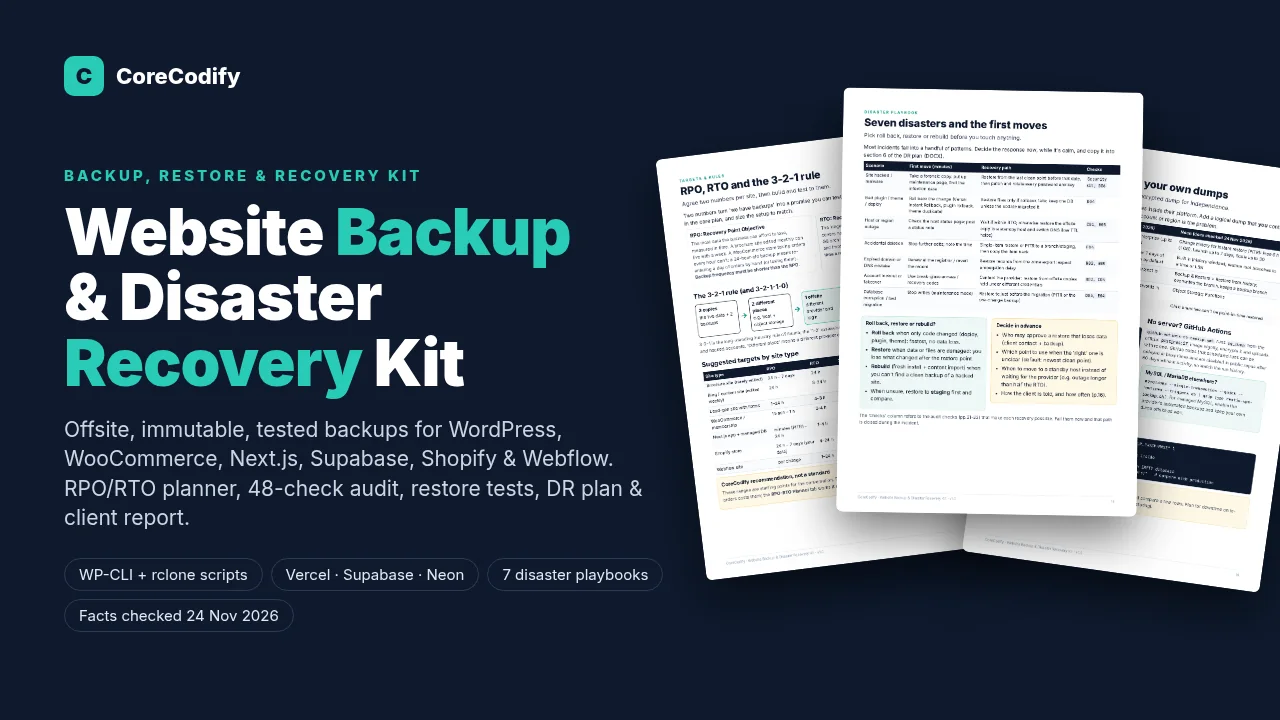
A 25-page guide, 48-check workbook, 12 scripts and white-label documents so you can back up and recover client sites on WordPress, Next.js, Shopify or Webflow. Checked 24 November 2026.
Need custom work? Hire me at usamify.com.
About this product
A client site can fail in ordinary ways: a botched update, a compromised plugin, a host outage, an expired domain, or a store with deleted inventory. The person who built the site is then asked how quickly it can be brought back. That answer often depends on a copy that lived on the same server, skipped the media library and secrets, or was never actually restored. This kit walks freelance developers and small studios through scoping, setup, testing and documentation for WordPress, Next.js, Shopify and Webflow, and includes the paperwork to offer that work as a paid retainer.
Files in the pack
The PDF runs to 25 pages. Early chapters explain recovery point and recovery time objectives in everyday language, walk through the 3-2-1-1-0 rule, and suggest targets by site type, including brochure and lead-generation sites, WooCommerce, a Next.js app, Shopify and Webflow. They also list what should be copied besides the database: site files, offloaded media, environment variables and secrets, the DNS zone, the domain itself, SaaS data and email.
A later chapter treats storage as its own problem: a matrix of threats, Object Lock and other ways to make copies immutable, encryption, grandfather-father-son retention, and why the copy you would actually restore from should live with a different company and a different login.
Each stack has its own section. For WordPress and WooCommerce the guide compares host backups with plugins, managed services and WP-CLI, notes plugin settings worth reviewing, describes a one-minute copy to take before an update, flags typical restore mistakes, and calls out the gap around WooCommerce orders. For Next.js hosted on Vercel it sets out the reach of Instant Rollback, including plan limits, environment variables, and rollback plus promote, then looks at auth data, CMS data and payment data. For Supabase and Neon it covers plan-by-plan backup and point-in-time recovery limits, what is left out (storage objects), and an encrypted pg_dump you run yourself and test all the way through. For Shopify and Webflow it covers export options, what cannot be imported again, Webflow restore points, locale-by-locale CMS CSV exports, and what a restore actually changes. For a VPS, DNS and domains it covers restic snapshots, zone-file exports, registrar access and domain expiry.
Testing a restore is covered with four levels, a matrix of 14 tests, and a method for timing a real recovery-time objective. When something goes wrong, the guide includes seven playbooks, a runbook for the first hour, severity levels, message templates for clients, and a method for recovering a compromised site without restoring the backdoor as well. A later chapter covers who owns which accounts, break-glass access, heartbeat checks, Article 32 of the GDPR, and how erasure requests apply to retained copies.
The spreadsheet opens in Excel 2019 or 365, Google Sheets and LibreOffice. Tabs include a Dashboard, an Audit Checklist with 48 checks, an inventory that flags overdue copies, restores that have not been tested and 3-2-1 gaps, a planner for recovery objectives and outage cost, a log that compares every restore with the recovery-time objective, plus a Test Matrix, an Incident Log and a Change Log.
The pack also includes a one-page Quick-Start, two white-label Word files (a disaster recovery plan for the client to sign, and an audit or status report), and 12 snippet files. Those snippets cover WP-CLI backup and restore, a Postgres dump for Supabase and Neon, a nightly GitHub Actions job, restic on a VPS, rclone configuration, a snapshot of DNS, checklists for Shopify and Webflow, a Vercel recovery runbook, and four incident messages you can send to clients. A short selling chapter has five care-plan packages, with price ranges clearly marked as suggestions, a three-sentence pitch, answers to common client questions, and a plan for the first week of onboarding. The download is a single ZIP and the documents also open in Word and Google Docs.
Who it is for
Freelancers and small studios who look after client sites on WordPress or WooCommerce, Next.js, Shopify or Webflow. People who sell retainers, or want to, and need a recovery offer they can actually demonstrate. Anyone who has been asked whether a site can be brought back and did not have a clear answer.
Please read first
The pack is practical guidance for developers. It is not legal advice. Recovery objectives are targets only; nothing in the kit can promise that no data will be lost or that a site will never be down. CoreCodify has no affiliation with the platforms named in the guide, including WordPress, Shopify, Webflow, Vercel, Supabase and Neon. Facts were checked on 24 November 2026.
Licence: use the kit on your own sites and on client sites. Do not resell the kit or pass the download on to others.
How delivery works
This is a digital download. Checkout happens on Gumroad, which takes the payment and emails you a receipt with the download link straight away. The files also stay in your Gumroad library, and if the product is updated, the new files appear on the same listing.
You can use the files in your own and your clients' projects, but not resell or share them. The license page explains the details. Refunds are handled on Gumroad under its policy. For help with a download, see support.
Questions
No. Recovery objectives in the guide are targets only, and nothing in the pack can promise that no data will be lost or that a site will never be down. It is practical guidance for developers, not legal advice.
WordPress and WooCommerce, Next.js hosted on Vercel, Supabase, Neon, Shopify, Webflow, plus a VPS, DNS and domains. The 12 snippet files include WP-CLI, Postgres, a GitHub Actions job, restic, rclone, and Shopify, Webflow and Vercel checklists or runbooks.
Yes. Those Word files are white-label, and the licence allows use on your own sites and on client sites. The kit itself may not be resold or passed on as a download.