
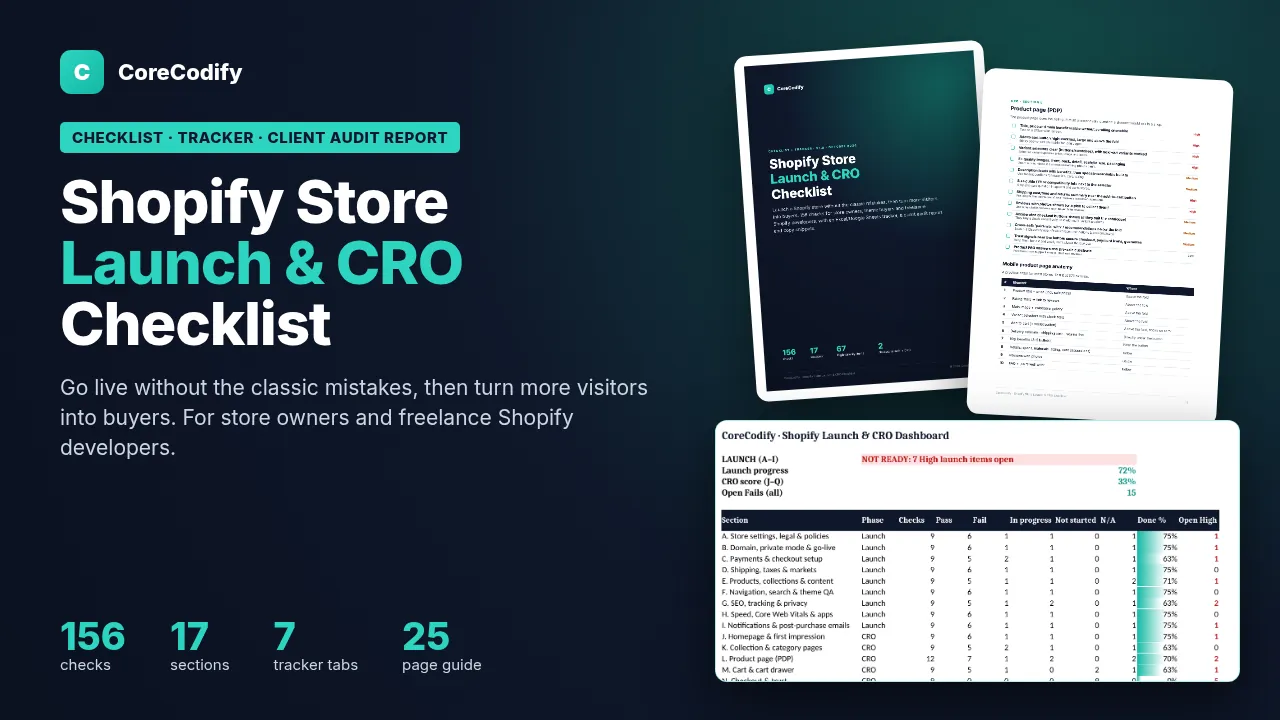
Shopify Launch & CRO Checklist: 156-Point Audit + Tracker & Report Template
$29
Launch a Shopify store without the usual mistakes, then raise its conversion rate: 156 checks, a go-live runbook, a tracker with a LAUNCH READY verdict and a client report template.
Need custom work? Hire me at usamify.com.
About this product
This kit covers two stages of a Shopify store: launching it without the usual mistakes, and then turning more visitors into buyers. It has 156 checks, a tracker that tells you when the store is ready to go live, and templates you can hand to clients.
It is for store owners launching on a new theme and for freelance Shopify developers who want a repeatable launch QA and a conversion audit they can sell.
What you get
A 25-page PDF checklist with 156 checks in 17 sections. Each check says how to test it and where to find the setting in Shopify, and is marked High, Medium or Low.
A tracker for Excel and Google Sheets with status dropdowns, owners and due dates. The dashboard gives a LAUNCH READY verdict. Other tabs hold a KPI baseline (conversion rate, add-to-cart rate, average order value and revenue per session), a CRO changelog, an app audit and a speed log.
A store audit report in Word with a summary, scorecard, top 5 priorities, a findings table, and speed and app reviews.
44 copy snippets as a text file: announcement bars, delivery and returns lines, cart messages, product FAQs, abandoned checkout emails and review requests. A one-page quick start and the license.
Stage one: launch
Sections A to I cover store settings, legal pages and policies, the domain, password page and go-live, payments, test orders and checkout, shipping, taxes and markets, products, collections and content, navigation, search and theme QA, SEO, tracking and privacy, speed, Core Web Vitals and apps, and notifications and post-purchase emails. A launch plan runs from 14 days before to 30 days after, and a go-live runbook makes sure the password page is off and payments are out of test mode.
Stage two: conversion
Sections J to Q cover the home page, collection pages and the product page (including the order of a mobile layout), the cart, checkout and trust, mobile UX and accessibility, retention, email and repeat sales, and measurement and testing. That includes a simple changelog method for stores without enough traffic for A/B tests.
The conversion sections build on Baymard Institute's published research into why shoppers abandon checkout, such as unexpected costs, slow delivery, trust and forced account creation. Each reason is linked to specific fixes.
Who it suits
Store owners about to launch, or whose live store gets visits but few sales, freelancers and agencies building Shopify stores for clients, and theme buyers who want to know what the theme doesn't handle for them.
What to know first
It works in Excel 2016 or later and 365, Google Sheets and LibreOffice. Shopify menu names were checked in October 2026. You don't need app subscriptions, and there is nothing to install. It is a practical checklist, not legal or tax advice. No sales result is guaranteed, because every store is different, and the tracker helps you measure what works for yours.
License: one license per person or agency seat. Use it on your own stores and unlimited client projects, and give clients the reports you fill in. Don't resell or share the files. Free v1.x updates are included. Shopify is a trademark of Shopify Inc., and CoreCodify is not affiliated with Shopify.
How delivery works
This is a digital download. Checkout happens on Gumroad, which takes the payment and emails you a receipt with the download link straight away. The files also stay in your Gumroad library, and if the product is updated, the new files appear on the same listing.
You can use the files in your own and your clients' projects, but not resell or share them. The license page explains the details. Refunds are handled on Gumroad under its policy. For help with a download, see support.
Questions
No. The kit needs no app subscriptions and nothing to install. The tracker works in Excel, Google Sheets and LibreOffice.
The dashboard shows LAUNCH READY only when no High-priority launch check is still open, meaning each one is marked Pass or N/A. Otherwise it shows NOT READY with the number of open items. The go-live runbook then covers switching off the password page and taking payments out of test mode.
No specific sales result is guaranteed, because every store is different. The kit gives you checks based on published checkout research and a tracker for measuring what works.